
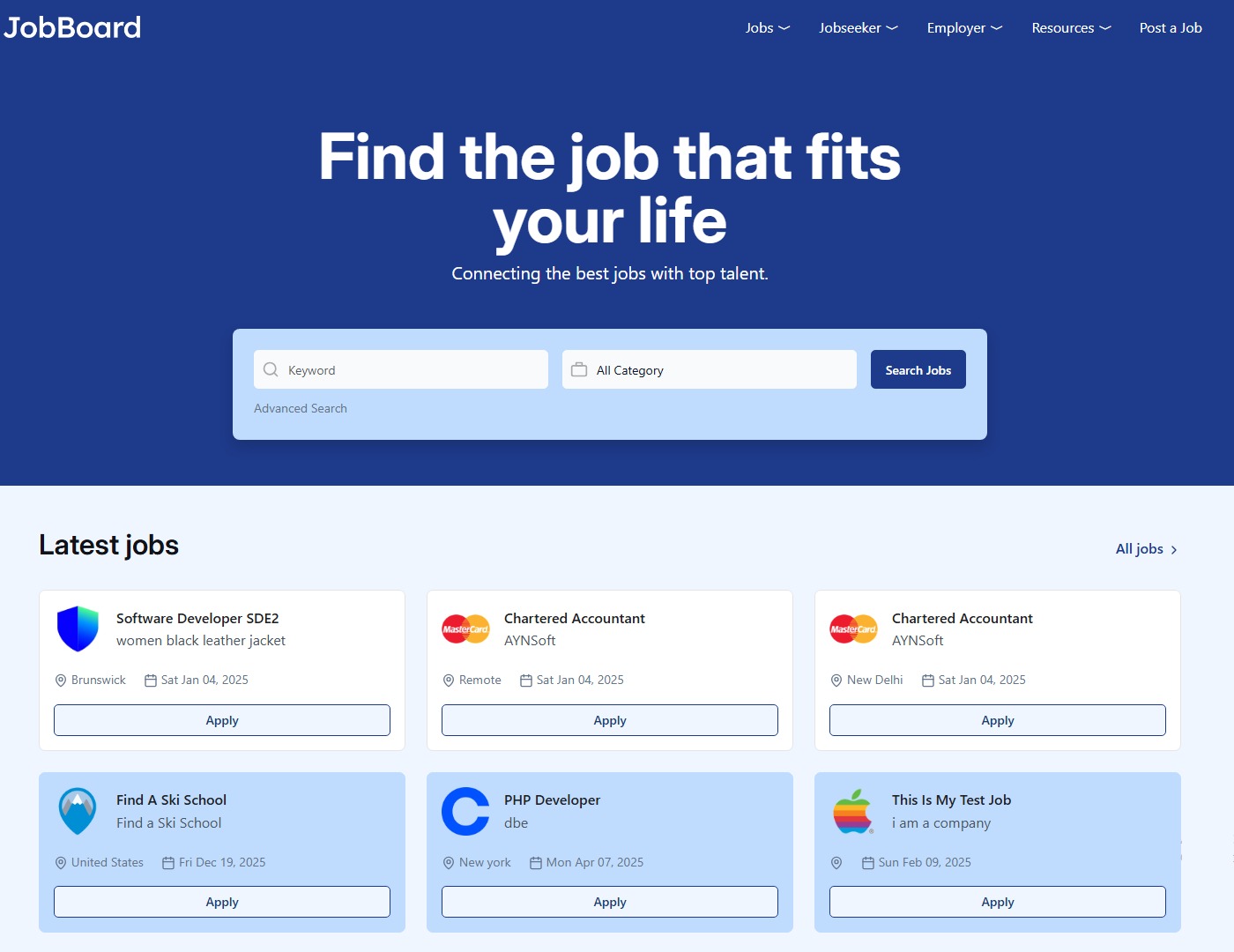
The job board industry has exploded into a $28 billion global market, and there’s never been a better time to launch your own recruitment platform.
Whether you’re a recruiter looking to build a niche job board, an entrepreneur exploring new revenue streams, or a company creating an internal career site, choosing the right job board software is critical to your success.
In this comprehensive guide, we’ll explore everything you need to know about job board software—from understanding what it is and how it works, to selecting the perfect platform for your specific needs. By the end, you’ll have the knowledge to make an informed decision that could shape your business for years to come.
Table of Contents
- What Is Job Board Software?
- Why You Need Job Board Software
- Types of Job Board Software
- Essential Features to Look For
- Self-Hosted vs SaaS: Which Is Right for You?
- Top Job Board Software Solutions Compared
- How to Choose the Right Job Board Software
- Implementation and Setup
- Monetization Strategies
- SEO and Marketing for Your Job Board
- Common Mistakes to Avoid
- Future Trends in Job Board Technology
What Is Job Board Software?
Job board software is a specialized platform that enables you to create, manage, and operate an online job marketplace where employers can post job openings and job seekers can search and apply for positions. Think of it as the engine that powers websites like Indeed, LinkedIn Jobs, or specialized niche job boards.

Core Components of Job Board Software
Modern job board software typically includes:
For Job Seekers:
- Advanced job search with filters (location, salary, category, experience)
- Resume/CV builder and management
- Job alerts and saved searches
- Application tracking
- Profile creation and management
- Mobile-responsive interface
For Employers:
- Job posting and management dashboard
- Resume database access
- Applicant tracking system (ATS)
- Candidate communication tools
- Analytics and reporting
- Payment processing for job postings
For Administrators:
- Complete platform management
- User management (employers and job seekers)
- Content moderation
- Revenue tracking
- Analytics dashboard
- Customization tools
The Evolution of Job Board Software
The job board industry has transformed dramatically since the first online job boards appeared in the 1990s. Early platforms like Monster and CareerBuilder were simple databases with basic search functionality. Today’s job board software leverages:
- Artificial Intelligence for resume matching and job recommendations
- Machine Learning to improve search results over time
- Advanced Analytics to understand user behavior
- Mobile-First Design for smartphone users
- API Integrations with social media, HRIS systems, and job aggregators
- Video Interview Tools for remote hiring
- Blockchain Technology for credential verification
Why You Need Job Board Software
The Business Case
The job board business model remains one of the most lucrative online business opportunities:
Market Statistics:
- The global online recruitment market is valued at $28+ billion (2025)
- Niche job boards see 3-5x higher engagement than general boards
- Average job board generates $50K-$500K annually
- 67% of job seekers prefer specialized job boards for industry-specific roles
- Job board profitability margins can reach 60-80%
Who Uses Job Board Software?
1. Niche Job Board Entrepreneurs Professionals launching industry-specific job boards (healthcare jobs, tech jobs, remote jobs, etc.) represent the largest user segment.
Example Success Story: RemoteOK.io generates over $1M annually by focusing exclusively on remote positions, powered by custom job board software.
2. Recruitment Agencies Staffing firms use job board software to:
- Showcase available positions
- Build candidate databases
- Differentiate from competitors
- Generate additional revenue streams
3. Professional Associations Industry organizations create job boards to:
- Serve their membership
- Generate non-dues revenue
- Increase member engagement
- Provide value-added services
4. Media Companies Publishers monetize their audience by adding job boards to existing websites.
5. Corporate Career Sites Companies build internal job boards to:
- Manage recruiting efficiently
- Improve employer branding
- Streamline hiring processes
- Reduce recruitment costs
Types of Job Board Software
Understanding the different types of job board software is crucial for making the right choice.
1. Self-Hosted/Open Source Job Board Software
What It Is: Software you install on your own server, giving you complete control over the code, data, and customization.
Popular Options:
- eJobSiteSoftware (PHP/MySQL)
- OpenCATS (Free, open source ATS)
- Jobberbase (Minimalist job board)
Pros:  One-time payment (typically $500-$2,000) Complete ownership of data and code Full customization capability No monthly fees Can be resold or white-labeled Host anywhere you choose No vendor lock-in
Cons:  Requires technical knowledge or developer You handle updates and maintenance Security is your responsibility Hosting costs separate
Best For:
- Developers or those with technical resources
- Businesses wanting full control
- Those planning extensive customization
- Long-term projects (5+ years)
- White-label or resale opportunities
Real Cost Example:
- Software: $600 (one-time)
- Hosting: $20-100/month
- Developer (if needed): $500-2,000 setup
- 5-Year Total: $2,200-$8,600
2. SaaS (Software as a Service) Job Board Platforms
What It Is: Cloud-based subscription software where you pay monthly/annually and the vendor handles hosting, updates, and maintenance.
Popular Options:
- Niceboard ($49-299/month)
- JBoard ($79-299/month)
- JobBoard.io ($39-199/month)
- SmartJobBoard ($99-499/month)
Pros: Quick setup (hours, not days) No technical knowledge required Automatic updates and security Built-in support Predictable costs Free trials available
Cons: Monthly fees ($500-$6,000/year) Limited customization Vendor lock-in (hard to switch) Data hosted on their servers Subject to price increases Features depend on plan tier
Best For:
- Quick launches
- Non-technical users
- Testing business ideas
- Businesses wanting turnkey solutions
- Short-term projects (1-3 years)
Real Cost Example:
- Monthly: $99
- 5-Year Total: $5,940
- Plus possible price increases
3. WordPress Job Board Plugins
What It Is: Plugins that add job board functionality to existing WordPress websites.
Popular Options:
- WP Job Manager (Free + paid add-ons)
- WP Job Portal
- JobBoardWP
Pros: Integrates with existing WordPress site Lower cost ($0-$500) Familiar WordPress interface Large plugin ecosystem
Cons: Limited features compared to dedicated platforms Performance issues at scale WordPress security concerns Plugin conflicts Not ideal for serious job boards
Best For:
- Adding jobs section to existing website
- Bloggers/content sites
- Very small job boards (<100 jobs)
- Limited budget projects
4. Custom Development
What It Is: Building job board software from scratch to exact specifications.
Pros: Unlimited customization Unique features Perfect fit for your vision Competitive differentiation
Cons: Extremely expensive ($50,000-$500,000+) Long development time (6-18 months) Ongoing maintenance costs Risk of project failure Requires large budget
Best For:
- Enterprise companies
- Venture-backed startups
- Unique business models
- Those with $100K+ budgets
Essential Features to Look For
When evaluating job board software, ensure it includes these critical features:
Core Functionality (Must-Have)
1. Advanced Job Search
- Keyword search
- Location-based search (city, state, country, zip code)
- Category/industry filters
- Salary range filters
- Experience level filters
- Employment type (full-time, part-time, contract)
- Date posted filters
- Remote/on-site options
2. Job Seeker Features
- Easy registration process
- Resume builder or upload capability
- Profile creation and management
- Job application system
- Application tracking
- Saved jobs and searches
- Email job alerts
- Mobile-responsive design
3. Employer Features
- Simple job posting interface
- Job management dashboard
- Resume database access
- Applicant tracking
- Candidate messaging
- Multiple user accounts
- Analytics and reporting
- Company profile pages
4. Admin Dashboard
- User management
- Job approval/moderation
- Payment management
- Site customization tools
- Analytics and reports
- Email template editor
- Content management
Advanced Features (Nice-to-Have)
5. Monetization Tools
- Multiple pricing packages
- Featured job listings
- Resume database access fees
- Company profile upgrades
- Banner advertising management
- Job post bundles
- Subscription management
6. AI and Automation
- AI-powered resume matching
- Automated job recommendations
- Resume parsing (extracting data from documents)
- Duplicate job detection
- Auto-expiring listings
- Smart job alerts
7. Integration Capabilities
- Payment gateways (Stripe, PayPal, etc.)
- Email marketing (Mailchimp, SendGrid)
- Social media logins (Google, LinkedIn, Facebook)
- Google for Jobs integration
- Indeed/ZipRecruiter backfill
- API access for custom integrations
- Zapier connectivity
8. Marketing and SEO
- SEO-friendly URLs
- Meta tag customization
- Schema markup
- XML sitemap generation
- Social sharing tools
- Newsletter system
- Blog integration
- Analytics integration (Google Analytics)
9. Mobile Features
- Responsive design
- Mobile apps (iOS/Android)
- Mobile-optimized application process
- Push notifications
- Location-based job alerts
10. Advanced Hiring Tools
- Video interview functionality
- Online assessment/testing
- Skill-based matching
- Candidate scoring
- Background check integrations
- Reference check tools
Self-Hosted vs SaaS: Which Is Right for You?
This is the most important decision you’ll make. Let’s break it down:
Cost Comparison Over Time
Self-Hosted (eJobSiteSoftware Example):
- Year 1: $600 (software) + $240 (hosting) + $500 (setup) = $1,340
- Year 2: $240 (hosting) = $240
- Year 3: $240 (hosting) = $240
- Year 4: $240 (hosting) = $240
- Year 5: $240 (hosting) = $240
- 5-Year Total: $2,300
SaaS Platform (Average $99/month):
- Year 1: $1,188
- Year 2: $1,188
- Year 3: $1,188
- Year 4: $1,188
- Year 5: $1,188
- 5-Year Total: $5,940
Savings with Self-Hosted: $3,640 over 5 years
Decision Matrix
Choose Self-Hosted If:
- You have a long-term vision (3+ years)
- You want full control and ownership
- You have basic technical skills or can hire a developer
- You plan extensive customization
- You want to minimize recurring costs
- You need specific features not available in SaaS
- You’re concerned about vendor dependency
- You want to white-label or resell
Choose SaaS If:
- You want to launch in 24 hours or less
- You have zero technical knowledge
- You’re testing a business idea
- You prefer predictable monthly costs
- You want hands-off maintenance
- You need immediate support
- You’re running a short-term project
- You value convenience over cost
Hybrid Approach
Some successful job boards start with SaaS to validate the market, then migrate to self-hosted once they reach $5K+ monthly revenue. This minimizes initial risk while preserving long-term savings.
Top Job Board Software Solutions Compared
Here’s an honest comparison of leading platforms in 2025:
1. eJobSiteSoftware
Type: Self-Hosted / Open Source
Price: $600 one-time
Best For: Long-term projects, full customization
Strengths:
- One-time payment, no recurring fees
- Complete source code access
- Built-in AI resume matching
- Applicant tracking system included
- Online interview software
- Learning management system
- Job backfill/wrapping
- Free custom homepage design
- Free first-year hosting
- 500+ successful implementations
- 24-hour setup time
Limitations:
- Requires hosting (additional $20-100/month)
- Need technical knowledge for advanced customization
- You handle updates and security
Ideal Customer: Entrepreneurs, recruitment agencies, professional associations planning serious, long-term job boards with custom requirements.
ROI Timeline: Break-even in 6-12 months compared to SaaS
2. Niceboard
Type: SaaS
Price: $49-$299/month
Best For: Quick launch, non-technical users
Strengths:
- Beautiful, modern design
- Very easy to use
- Fast setup (under 1 hour)
- Great support
- Built-in SEO tools
- Multiple design templates
Limitations:
- Monthly fees add up ($588-$3,588/year)
- Limited customization
- No source code access
- Vendor lock-in
Ideal Customer: Bloggers, content creators, side hustlers wanting quick setup.
3. JBoard
Type: SaaS
Price: $79-$299/month
Best For: Established businesses
Strengths:
- Robust feature set
- Good customization options (for SaaS)
- Strong mobile experience
- Regular updates
Limitations:
- Higher monthly cost ($948-$3,588/year)
- Setup can be complex
- Learning curve
Ideal Customer: Established recruitment firms, professional associations with budget.
4. SmartJobBoard
Type: SaaS + Self-Hosted Options
Price: $99-$499/month (SaaS), $3,999+ (self-hosted)
Best For: Enterprise needs
Strengths:
- Very feature-rich
- Enterprise-grade
- Both SaaS and self-hosted available
- Strong support
Limitations:
- Expensive for small businesses
- Can be overwhelming
- Self-hosted version very costly
Ideal Customer: Large organizations, established job boards with significant traffic.
5. WordPress Plugins (WP Job Manager)
Type: Plugin
Price: Free + $0-$500 for add-ons
Best For: Adding jobs to existing WordPress site
Strengths:
- Very low cost
- Easy if you know WordPress
- Large community
Limitations:
- Limited scalability
- Performance issues
- Not feature-rich
- WordPress vulnerabilities
Ideal Customer: Bloggers, small business owners adding basic job listings.
Comparison Table
| Feature | eJobSiteSoftware | Niceboard | JBoard | SmartJobBoard |
|---|---|---|---|---|
| Setup Time | 24 hours | 1 hour | 2 hours | 1-3 days |
| 5-Year Cost | $2,300 | $5,940 | $14,940 | $35,940+ |
| Customization | Full | Limited | Moderate | Good |
| Technical Skill | Basic-Moderate | None | None | None-Basic |
| Mobile Apps | Optional | No | No | Yes |
| AI Features | Yes | No | Basic | Yes |
| ATS Included | Yes | Basic | Yes | Yes |
| Source Code | Yes | No | No | Yes (self-hosted) |
| Scalability | Excellent | Good | Good | Excellent |
| Support | Email/Ticket | Email/Chat | Priority Support |
How to Choose the Right
Follow this step-by-step framework:
Step 1: Define Your Business Model
Question: What type of job board are you creating?
Niche Job Board Examples:
- Industry-specific (healthcare, IT, legal)
- Location-based (City jobs, regional boards)
- Role-specific (executive jobs, freelance work)
- Remote work boards
- Diversity hiring boards
Revenue Model:
- Employer pays to post jobs
- Job seeker pays for premium features
- Resume database access fees
- Featured listings
- Advertising revenue
- Affiliate commissions
Step 2: Assess Your Technical Capabilities
Rate yourself honestly:
Non-Technical (Choose SaaS):
- Never built a website
- Don’t understand hosting/domains
- Want zero technical responsibility
- Prefer monthly payments for convenience
Basic Technical (Consider Self-Hosted):
- Have built WordPress sites
- Understand hosting basics
- Comfortable following tutorials
- Can hire developer if needed
Advanced Technical (Definitely Self-Hosted):
- PHP/MySQL knowledge
- Can customize code
- Comfortable with servers
- Want maximum control
Step 3: Calculate Your Budget
Initial Budget:
- < $500: WordPress plugins only
- $500-$1,000: Self-hosted or basic SaaS
- $1,000-$5,000: Premium SaaS or self-hosted with customization
- $5,000+: Enterprise SaaS or custom development
Monthly Operating Budget:
- $0-50: Self-hosted
- $50-200: Mid-tier SaaS
- $200-500: Premium SaaS
- $500+: Enterprise solutions
Step 4: List Must-Have Features
Create a prioritized feature list:
Critical (Must Have):
- Job posting
- Job search
- Application system
- Mobile responsive
Important (Should Have):
- Resume builder
- Email alerts
- Payment processing
- Analytics
Nice to Have:
- AI matching
- Video interviews
- Mobile apps
- Advanced integrations
Step 5: Evaluate Long-Term Vision
Short-Term (1-2 years): SaaS makes sense – test the market with minimal commitment
Medium-Term (3-5 years): Self-hosted starts making financial sense – break-even typically occurs
Long-Term (5+ years): Self-hosted offers significant savings and full control
Step 6: Consider Growth Trajectory
Small Scale (<1,000 jobs): Any solution works
Medium Scale (1,000-10,000 jobs): Need scalable solution – self-hosted or premium SaaS
Large Scale (10,000+ jobs): Require robust infrastructure – self-hosted or enterprise SaaS
Step 7: Research and Compare
Action Steps:
- Request demos from top 3 choices
- Read actual user reviews (G2, Capterra, Trustpilot)
- Join job board communities (Reddit, Facebook groups)
- Test free trials if available
- Calculate total cost of ownership
- Evaluate support quality
Step 8: Make the Decision
Red Flags to Watch For:
- No free trial or demo
- Hidden fees in fine print
- Poor customer reviews
- Unresponsive support
- Outdated technology
- No clear pricing
- Pushy sales tactics
Green Flags:
- Transparent pricing
- Active development/updates
- Strong customer testimonials
- Responsive support team
- Modern technology stack
- Clear documentation
- Active community
Implementation and Setup {#implementation}
Pre-Launch Checklist (4-6 Weeks)
Week 1: Planning
- [ ] Define job categories
- [ ] Create content strategy
- [ ] Plan site structure
- [ ] Choose domain name
- [ ] Purchase hosting (if self-hosted)
- [ ] Select job board software
- [ ] Create project timeline
Week 2-3: Setup
- [ ] Install software
- [ ] Configure basic settings
- [ ] Design homepage
- [ ] Set up payment processing
- [ ] Create email templates
- [ ] Configure job posting workflow
- [ ] Set up user registration
- [ ] Implement SSL certificate
Week 4: Content Creation
- [ ] Write About page
- [ ] Create FAQ section
- [ ] Draft pricing page
- [ ] Develop privacy policy
- [ ] Write terms of service
- [ ] Create employer resources
- [ ] Prepare blog posts
Week 5: Testing
- [ ] Test job posting process
- [ ] Test application process
- [ ] Test payment processing
- [ ] Mobile device testing
- [ ] Cross-browser testing
- [ ] Email delivery testing
- [ ] Speed optimization
- [ ] Security audit
Week 6: Pre-Launch
- [ ] Set up Google Analytics
- [ ] Configure Google Search Console
- [ ] Create social media accounts
- [ ] Prepare launch announcement
- [ ] Line up initial employers
- [ ] Seed database with jobs
- [ ] Final review
Launch Strategy
Soft Launch (Week 1-2):
- Launch with beta label
- Invite select employers
- Gather feedback
- Fix issues
- Limit marketing
Official Launch:
- Remove beta label
- Press release
- Social media campaign
- Email announcement
- Paid advertising
- Partnership outreac
Monetization Strategies {#monetization}
Primary Revenue Models
1. Job Posting Fees How It Works: Employers pay to post jobs
Pricing Models:
- Single job post: $99-$299
- 30-day posts: $149-$399
- 60-day posts: $249-$599
- Package deals: 5 posts for $599, 10 posts for $999
Pros: Simple, straightforward Cons: Seasonal fluctuations
Revenue Example: 20 job posts/month × $149 = $2,980/month
2. Subscription Plans How It Works: Unlimited posting for monthly fee
Pricing Tiers:
- Basic: $99/month (1 job at a time)
- Professional: $299/month (5 jobs at a time)
- Enterprise: $699/month (unlimited jobs)
Pros: Predictable recurring revenue Cons: Requires ongoing value demonstration
Revenue Example: 10 clients × $299 = $2,990/month
3. Featured Listings How It Works: Premium placement for additional fee
Options:
- Homepage featured spot: $99-$199
- Category featured: $49-$99
- Extended duration: $49+
- Highlighted in search: $29-$49
Pros: High margins, easy upsell Cons: Requires traffic volume
Revenue Example: 30% of posts upgrade × $99 = +$894/month (on 20 posts)
4. Resume Database Access How It Works: Employers pay to search resumes
Pricing:
- 24-hour access: $49
- 7-day access: $149
- 30-day access: $399
- Unlimited: $699-$999/month
Pros: High-value for employers Cons: Requires large candidate database
Revenue Example: 15 purchases/month × $149 = $2,235/month
5. Advertising How It Works: Display ads on your site
Options:
- Banner ads: $200-$1,000/month
- Sponsored content: $500-$2,000/post
- Email newsletter ads: $100-$500/send
- Google AdSense: Variable
Pros: Passive income Cons: Requires high traffic, can hurt UX
Revenue Example: 3 banner ads × $300 = $900/month
6. Affiliate Commissions How It Works: Promote related services
Partners:
- Background check services: 20-30% commission
- Recruitment software: $50-$500/sale
- HR services: Variable
- Indeed/ZipRecruiter: Cost-per-click
Pros: No additional work Cons: Lower margins
Revenue Optimization
Bundling Strategy: Combine services for higher average order value:
- Standard post + Featured + 60 days = $349 (vs $200 separately)
Tiered Pricing Psychology:
- Starter: $99 (decoy)
- Popular: $199 (most buy this)
- Premium: $399 (anchor)
Seasonal Pricing:
- Higher rates during peak hiring seasons
- Discounts during slow periods
- Holiday specials
Financial Projections
Conservative First-Year Forecast:
Month 1-3: (Building Phase)
- Revenue: $500/month
- Focus: Content, SEO, employer outreach
Month 4-6: (Growth Phase)
- Revenue: $2,000/month
- Added marketing spend
Month 7-9: (Scaling Phase)
- Revenue: $4,000/month
- Optimized conversion
Month 10-12: (Established Phase)
- Revenue: $6,000/month
- Year 1 Total: $30,000
Year 2 Target: $100,000 Year 3 Target: $250,000 Year 5 Target: $500,000+
Note: These are conservative estimates. Many successful niche job boards exceed these numbers.SEO and Marketing for Your Job Board {#seo-marketing}
SEO Strategy
Technical SEO:
- Fast loading speed (under 3 seconds)
- Mobile-responsive design
- SSL certificate (HTTPS)
- XML sitemap
- Schema markup (JobPosting schema)
- Clean URL structure
On-Page SEO:
- Keyword-optimized job titles
- Detailed job descriptions
- Location-specific pages
- Category-specific pages
- Meta titles and descriptions
- Header tag hierarchy
- Internal linking
Content Marketing:
- Industry blog (2-3 posts/week)
- Salary guides
- Interview tips
- Resume templates
- Career advice
- Employer resources
- Industry reports
Link Building:
- Guest posting on industry blogs
- Directory submissions
- Press releases
- Partnership links
- Resource page links
- Broken link building
Marketing Channels
1. Employer Outreach
- Direct email to HR departments
- LinkedIn outreach
- Industry events
- Chamber of commerce
- Industry associations
2. Job Seeker Acquisition
- Social media (Facebook, LinkedIn groups)
- Campus recruiting
- Job fairs
- Online communities
- Content marketing
3. Partnerships
- Recruitment agencies
- Industry associations
- Educational institutions
- Related job boards
- Media companies
4. Paid Advertising
- Google Ads (branded keywords)
- Facebook/LinkedIn ads
- Industry publication ads
- Retargeting campaigns
- Sponsored content
5. Email Marketing
- Weekly job alerts
- Employer newsletter
- Industry insights
- Tips and resources
- Promotional campaign
Common Mistakes to Avoid {#common-mistakes}
1. Starting Too Broad
Mistake: Creating a general job board competing with Indeed Solution: Focus on a specific niche (industry, location, job type)
2. Choosing Wrong Software
Mistake: Picking based on features alone, ignoring long-term costs Solution: Evaluate total cost of ownership over 5 years
3. Neglecting Mobile Users
Mistake: Desktop-only optimization Solution: Mobile-first design (70% of job seekers use mobile)
4. Poor Job Quality
Mistake: Allowing spam, duplicate, or low-quality job posts Solution: Manual approval, quality standards, spam filters
5. No Monetization Strategy
Mistake: Making it free with no revenue plan Solution: Define pricing from day one
6. Ignoring SEO
Mistake: Launching without SEO consideration Solution: Build SEO into core strategy from start
7. Insufficient Marketing Budget
Mistake: Expecting organic growth only Solution: Allocate 20-30% of budget to marketing
8. Complicated User Experience
Mistake: Too many steps to post/apply Solution: Simplify to 3-5 steps maximum
9. No Data Analysis
Mistake: Not tracking metrics Solution: Monitor traffic, conversions, user behavior weekly
10. Giving Up Too Soon
Mistake: Quitting after 3-6 months Solution: Commit to 12-24 months minimum
Future Trends in Job Board Technology
1. AI and Machine Learning
- More accurate resume matching
- Predictive candidate scoring
- Automated interview scheduling
- Chatbot customer service
- Salary prediction algorithms
2. Video-First Recruiting
- Video job postings
- Video applications
- Pre-recorded video interviews
- Live video screening
- Virtual job fairs
3. Skills-Based Hiring
- Moving beyond traditional resumes
- Skills assessments integration
- Micro-credentials recognition
- Portfolio showcases
- Project-based evaluation
4. Blockchain for Verification
- Credential verification
- Work history authentication
- Reference checking
- Background verification
- Payment processing
5. Voice Search Optimization
- Voice-activated job search
- Audio job descriptions
- Podcast integration
- Smart speaker compatibility
6. Augmented Reality
- Virtual office tours
- Job shadowing experiences
- Training simulations
- Cultural fit assessment
7. Gig Economy Integration
- Freelance job matching
- Project-based hiring
- Flexible work arrangements
- Multiple income streams
8. Increased Personalization
- Individual job recommendations
- Custom search results
- Personalized email timing
- Behavior-based suggestions
Conclusion
Choosing the right job board software is a critical decision that will impact your business for years to come. Whether you opt for a self-hosted solution like eJobSiteSoftware with its one-time $600 payment and complete control, or a convenient SaaS platform with monthly fees and hands-off maintenance, the key is aligning the software with your business goals, technical capabilities, and budget.
Key Takeaways:
- Niche Focus Wins: Specialized job boards consistently outperform general ones
- Long-Term Thinking: Calculate 5-year costs, not just initial price
- Feature vs. Need: Don’t pay for features you won’t use
- Start Simple: Launch with core features, add complexity later
- SEO is Critical: 70%+ of job board traffic comes from organic search
- Quality Over Quantity: Better to have 100 great jobs than 10,000 spam listings
- User Experience: Simple posting and applying processes drive success
- Monetization Matters: Have a clear revenue strategy from day one
Your Next Steps:
- Define your niche: What specific job market will you serve?
- Assess your skills: Technical or non-technical? This determines your software choice
- Calculate your budget: Initial investment and monthly operating costs
- Research platforms: Demo your top 3 choices
- Plan your launch: Create a detailed 6-week implementation timeline
- Start marketing: Begin building your audience before launch
- Launch and iterate: Start small, gather feedback, improve continuously
Launch your own powerful job board in days—not months—with flexible, scalable job board software built for growth using ejobsitesoftware.com.
Leave a Reply