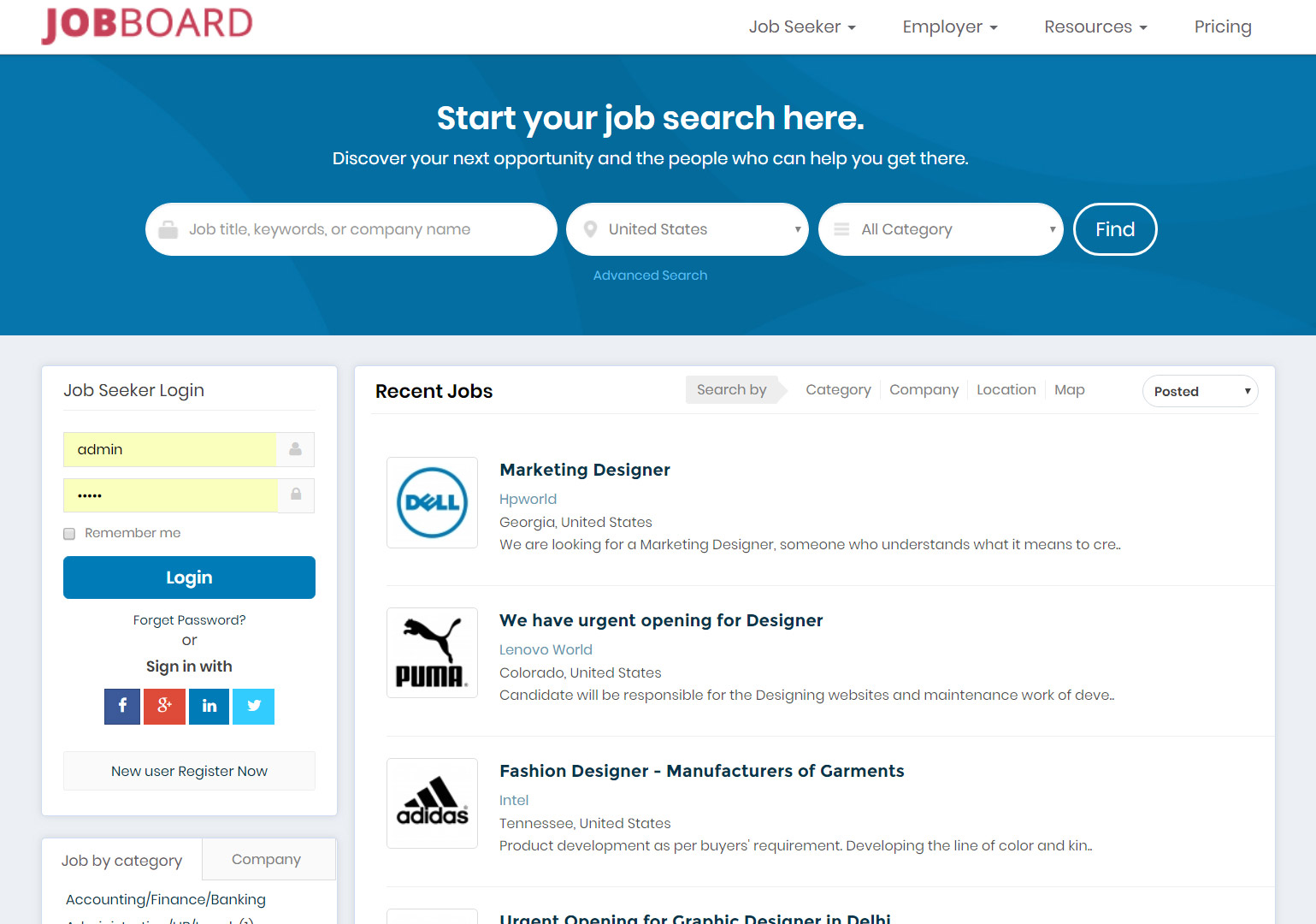
Category: Recruitment Software

Recruitment Software

  • Recruitment Website – A Buyer’s Guide

    Recruitment Website – A Buyer’s Guide (2026) | ejobsitesoftware.com

    Buyer’s guide · 2026

    In a competitive talent market, your recruitment website is more than a job board – it’s your brand, your applicant funnel, and often a candidate’s first impression of you. Whether you’re an agency, a startup, or an HR team at a growing company, the right platform improves hiring efficiency, reduces costs, and lifts the candidate experience. Here’s how to choose one.
    FeaturesPlatform typesPricing modelsSEO checklist
    Recruitment website buyer's guide

    What is a recruitment website?

    A recruitment website is a ready-to-use or customisable platform that helps a company or agency post job listings, manage candidate applications, create branded career pages, automate hiring workflows, and track recruitment metrics.

    These platforms come in a few different shapes – SaaS, white-label, or bespoke development – depending on the needs and scale of the client. The rest of this guide walks through how to tell them apart and choose well.

    Step 1 · Features

    Key features to look for

    A modern recruitment website should be scalable and AI-driven. These are the seven feature areas that keep a platform competitive.

    AI & automation

    • Resume parsing and matching algorithms
    • Smart candidate screening
    • Automated emails and interview scheduling

    Branded career site builder

    • Customisable templates
    • Mobile-responsive design
    • Employer branding tools – videos, testimonials, logos

    Job distribution & aggregation

    • Integration with sites like LinkedIn, Indeed and Monster
    • Google for Jobs optimisation

    ATS integration

    • Built-in or third-party integrations
    • Candidate workflow stages
    • Reporting dashboard

    Employer & jobseeker portals

    • Employer account for job posting and tracking
    • Jobseeker account to manage applications

    SEO optimisation tools

    • Clean URLs
    • Meta tags and schema markup
    • XML sitemaps for indexing

    Security & compliance

    • GDPR-compliant data handling
    • Role-based access
    • SSL encryption

    Why it matters

    Top benefits of a recruitment website

    Partnering with the right platform can meaningfully raise your recruitment game.

    Faster hiring cycles

    Better candidate experience

    Scalability as your team grows

    Access to niche talent pools

    In-depth recruitment analytics

    AI is reshaping recruitment – automating candidate matching, personalising job recommendations, and streamlining hiring for faster, smarter results. Independent 2024-2025 industry research points to AI recruitment tools cutting time-to-hire by up to around 40%, though real gains vary widely by team and process, so treat any single headline figure as an indicator rather than a guarantee.

    Step 2 · Platform type

    The three types of recruitment website

    The same goal, delivered three different ways – the right one depends on your brand, budget and control needs.

    Recruitment website platform types compared
    TypeHow it’s soldBest for
    SaaS recruitment platformsMonthly subscription, cloud-based, provider-hostedTeams that want zero infrastructure and a fast start
    White-label job boardsOne-time setup or licence to run your own branded portalRecruitment agencies and entrepreneurs building their own brand
    Custom development agenciesBespoke build, higher costOrganisations needing a solution tailored to exact specs

    In practice

    Real-world use cases

    Which type fits which situation – three common scenarios.

    Use case 1

    Staffing agency

    Need: Multi-client management and a shared resume database
    Solution: A white-label job board with employer dashboards
    Use case 2

    Enterprise HR team

    Need: ATS plus a branded career page plus analytics
    Solution: A recruitment platform with a branded site builder
    Use case 3

    Startup job portal

    Need: Cost-effective, fast deployment
    Solution: A self-hosted or SaaS-based platform

    Step 3 · Pricing

    Pricing models explained

    Recruitment websites are usually sold one of four ways. Always compare features and support before choosing on price alone.

    Recruitment website pricing models
    ModelHow it worksBest suited to
    Monthly subscriptionA fixed recurring fee for access to the tools and support.Predictable budgeting; costs continue for as long as you use it
    One-time setup fee + hostingPay once to build or licence, then cover hosting.Custom or white-label solutions; lower long-run cost
    Pay-per-job listingPay for each job you post.Small businesses or niche boards posting occasionally
    FreemiumFree with limited features, paid upgrades to unlock more.Testing a platform before committing budget

    Step 4 · Due diligence

    Questions to ask before you choose

    Five checks that separate a platform you’ll grow with from one you’ll replace in a year.

    1

    Is the platform mobile-friendly and SEO-optimised?

    2

    Does it support employer branding and custom career pages?

    3

    How secure is the data-handling process?

    4

    Are there integrations with ATS, CRM or HRMS tools?

    5

    Can I scale up or add features later?

    SEO best practices for recruitment websites

    To stay visible on search engines and attract quality candidates, your platform should support:

    Clean, crawlable site architecture; meta descriptions with relevant keywords (for example “AI recruiting software” or “ATS-integrated job site”); alt text on all images (such as “resume search feature screenshot”); fast page speed and mobile optimisation; and Schema.org markup for job listings using JobPosting schema, which is what gets your roles into Google for Jobs.

    Step 5 · The checklist

    What your recruitment website should include

    The essential pages every recruitment website needs.

    Home pageValue proposition and a clear call to action
    Job listings pageFilters and a search bar
    Employer sectionServices, testimonials and pricing
    Jobseeker sectionLogin/signup and a resume builder
    Blog or resourcesSEO content and hiring tips
    About usCompany story, team and contact info
    Contact pageForm, map and support email
    Privacy policy & termsThe legal essentials

    One option to weigh

    Where a self-hosted platform fits

    Most of this guide’s platform types bill you every month. It’s worth knowing the alternative exists: a self-hosted recruitment website you buy once, with full source code, hosted on your own server. You get the branded career site, employer and jobseeker portals, built-in applicant tracking, and SEO-friendly job pages – without a subscription that grows with your headcount or your candidate data sitting on someone else’s platform.

    That’s the model ejobsitesoftware.com is built on – a one-time payment with the code included – and it maps neatly onto the “one-time setup fee plus hosting” pricing model above.

    See the recruitment software →
    Candidates building profiles on a recruitment website

    Answers

    Frequently asked questions

    What is a recruitment website?
    A ready-to-use or customisable platform that helps companies and agencies post job listings, manage candidate applications, create branded career pages, automate hiring workflows, and track recruitment metrics. It’s more than a job board – it’s your brand, your applicant funnel, and often a candidate’s first impression. Platforms come as SaaS, white-label, or bespoke builds depending on needs and scale.
    What features should I look for in a recruitment website?
    AI and automation such as resume parsing and automated scheduling; a branded career site builder with responsive templates; job distribution to sites like LinkedIn, Indeed and Google for Jobs; ATS integration with workflow stages and reporting; employer and jobseeker portals; SEO tools such as clean URLs, schema markup and XML sitemaps; and security and compliance including GDPR-compliant handling, role-based access and SSL encryption.
    What are the types of recruitment website?
    Three main types. SaaS platforms are cloud-based and billed monthly. White-label job boards let you build your own branded portal and suit agencies and entrepreneurs. Custom development agencies build fully bespoke solutions at higher cost but tailored to exact specifications.
    What pricing models do recruitment websites use?
    Typically four: monthly subscription (a fixed recurring fee); one-time setup fee plus hosting (ideal for custom or white-label solutions); pay-per-job-listing (suited to small or niche boards); and freemium (limited features free, paid upgrades). Compare features and support rather than simply choosing the cheapest.
    What questions should I ask before choosing a recruitment website?
    Ask whether the platform is mobile-friendly and SEO-optimised, whether it supports employer branding and custom career pages, how secure the data handling is, whether it integrates with ATS, CRM or HRMS tools, and whether you can scale up or add features later.
    What SEO features should a recruitment website support?
    Clean, crawlable site architecture; meta descriptions with relevant keywords; alt text on all images; fast page speed and mobile optimisation; and Schema.org markup for job listings using JobPosting schema, which is what surfaces your roles in Google for Jobs.
    What pages should a recruitment website include?
    A home page with a value proposition and CTA, a job listings page with filters and search, an employer section, a jobseeker section with login and resume builder, a blog or resources area, an about-us page, a contact page, and a privacy policy with terms.
    Does a recruitment website have to be a monthly subscription?
    No. Many SaaS platforms bill monthly, but you can also choose a one-time setup fee with hosting, common for custom and white-label solutions and usually cheaper over time. ejobsitesoftware.com provides a self-hosted recruitment website with full source code for a one-time payment, so there are no recurring per-user fees and your data stays on your own server.

    Don’t just build a website – build a recruitment engine

    An optimised, branded recruitment website directly shapes your hiring success. Whether you’re launching a niche job board or modernising a corporate career site, choose the platform that fits how you actually hire.
    Self-hosted · Full source code · One-time payment · info@ejobsitesoftware.com
  • Checklist for a Company Before Implementing a Recruitment Software

    Checklist Before Implementing Recruitment Software: 12 Steps (2026) | ejobsitesoftware.com

    Implementation guide · 2026

    Recruitment software can transform how you hire – but it isn’t as simple as signing up for a subscription and hitting “go.” Without proper planning, companies waste time, money and resources on a tool that doesn’t fit their goals. This 12-step checklist walks through everything to settle before you adopt, so you get the value and skip the common pitfalls.

    12 stepsQuestions to askAction stepsSuccess KPIs
    Checklist for a company before implementing recruitment software

    Why you need a checklist first

    Recruitment software has become a genuine game-changer for companies looking to streamline hiring, reduce manual workloads and improve the candidate experience. But implementing it isn’t as simple as signing up and switching it on.

    Without proper planning, companies risk wasting time, money and resources on a tool that doesn’t align with their goals. A well-thought-out checklist is what ensures a smooth, successful rollout – so the sections below lay out the essential steps and considerations before you adopt.

    At a glance

    The 12-step checklist

    Every step summarised – the detail, with questions to ask and an action step, follows below.

    The 12 steps to complete before implementing recruitment software
    #StepIn short
    1Define your recruitment goals and needsBefore comparing software options, take a step back and assess why your company actually needs recruitment software.
    2Evaluate your current recruitment processRecruitment software should enhance your existing workflow, not replace it wholesale.
    3Set a realistic budgetRecruitment software spans a wide range of pricing models – monthly subscriptions, per-user fees, or one-time licences – and costs can climb with add-ons like premium support or advanced analytics.
    4Identify key stakeholders and get buy-inImplementing recruitment software affects far more than the HR team.
    5Assess technical requirements and compatibilityYour recruitment software has to integrate cleanly with your existing tech stack.
    6Prioritise data migration and cleanupIf you’re moving from manual processes or another system, you’ll need to transfer existing candidate data.
    7Research and compare vendorsThe recruitment software market is crowded, and each option has different strengths, so thorough research is essential to find the right fit rather than the loudest brand.
    8Plan for user training and adoptionEven the best software fails if people don’t know how to use it.
    9Ensure compliance and securityRecruitment means handling sensitive personal data, so your software must comply with local and international regulations.
    10Establish metrics for successHow will you know the software is worth the investment? Define the key performance indicators you’ll use to measure its impact before you switch anything on.
    11Test before full rolloutA phased approach minimises disruption.
    12Prepare a contingency planNo implementation is flawless.

    In detail

    Work through each step

    Each step comes with the questions to ask your team and a concrete action to take.

    1

    Define your recruitment goals and needs

    Before comparing software options, take a step back and assess why your company actually needs recruitment software. Are you trying to reduce time-to-hire, improve candidate quality, or automate repetitive tasks like resume screening? Each goal shapes the features you should prioritise.

    Questions to ask
    • What pain points exist in our current hiring process?
    • Are we struggling with sourcing, screening, or onboarding?
    • Do we need better collaboration tools for hiring teams?
    Action step: Create a list of must-have features (applicant tracking, job board integration, analytics) versus nice-to-haves (such as AI-driven candidate matching).
    2

    Evaluate your current recruitment process

    Recruitment software should enhance your existing workflow, not replace it wholesale. Map out how you hire today to spot inefficiencies and the places where technology can make a real difference.

    Key areas to review
    • How are job postings created and distributed?
    • How do you track applicants through the hiring funnel?
    • Which manual tasks – email follow-ups, interview scheduling – consume the most time?
    Action step: Document your process in detail and involve key stakeholders (HR, recruiters, hiring managers) so nothing is overlooked.
    3

    Set a realistic budget

    Recruitment software spans a wide range of pricing models – monthly subscriptions, per-user fees, or one-time licences – and costs can climb with add-ons like premium support or advanced analytics. A budget set upfront stops you overspending or cutting essential features.

    Considerations
    • Account for implementation costs such as training and data migration.
    • Factor in scalability – will the software grow with your company?
    • Watch for hidden fees on integrations or upgrades.
    Action step: Research average costs for tools in your industry and size category, then set a budget with a 10-15% buffer for surprises.
    4

    Identify key stakeholders and get buy-in

    Implementing recruitment software affects far more than the HR team. Hiring managers, IT staff and executives will all interact with or be impacted by the tool, so winning their support early makes adoption far smoother.

    Stakeholders to involve
    • HR team – for day-to-day usability feedback.
    • IT department – to assess technical feasibility and security.
    • Leadership – to align the tool with company goals and secure funding.
    Action step: Hold a kickoff meeting to discuss objectives, gather input, and assign roles for the implementation.
    5

    Assess technical requirements and compatibility

    Your recruitment software has to integrate cleanly with your existing tech stack. A tool that doesn’t play well with your HRIS, payroll software or email platform can create more problems than it solves.

    Technical checklist
    • Does it integrate with tools like LinkedIn, Slack, or Microsoft Teams?
    • Is it cloud-based or on-premises? (Cloud is often more flexible – though self-hosting gives you more control over your data.)
    • What are the hardware and software requirements for your team?
    Action step: Consult your IT team to confirm compatibility and ensure the software meets data-security and compliance standards such as GDPR and CCPA.
    6

    Prioritise data migration and cleanup

    If you’re moving from manual processes or another system, you’ll need to transfer existing candidate data. Messy or outdated data hobbles performance and leads to a rocky start.

    Steps to prepare
    • Audit your current database for duplicates, incomplete records, or irrelevant entries.
    • Decide what to migrate – active candidates, past hires, and so on.
    • Make sure data formats align with the new system’s requirements.
    Action step: Assign someone to oversee the cleanup and test a small batch migration before committing fully.
    7

    Research and compare vendors

    The recruitment software market is crowded, and each option has different strengths, so thorough research is essential to find the right fit rather than the loudest brand.

    Evaluation criteria
    • User reviews and case studies from companies in your industry.
    • Ease of use – an intuitive interface for non-technical users.
    • Customer support quality – availability, live chat, response times.
    • Trial periods or demos so you can test functionality first-hand.
    Action step: Shortlist three to five vendors, request demos, and score each against your must-have features and budget.
    8

    Plan for user training and adoption

    Even the best software fails if people don’t know how to use it. Comprehensive training ensures everyone – from recruiters to hiring managers – feels confident with the tool.

    Training tips
    • Schedule hands-on sessions with the vendor or an internal expert.
    • Create quick-reference guides or short video tutorials for common tasks.
    • Designate ‘champions’ within the team to troubleshoot and encourage adoption.
    Action step: Build a training timeline that starts before go-live and continues with follow-up sessions afterwards.
    9

    Ensure compliance and security

    Recruitment means handling sensitive personal data, so your software must comply with local and international regulations. A breach or a compliance gap can bring legal penalties and reputational damage.

    Compliance checklist
    • Does it meet GDPR, CCPA, or other relevant data-privacy laws?
    • Are there features for consent management and data-retention policies?
    • What security measures – encryption, multi-factor authentication – are in place?
    Action step: Work with legal and IT to verify compliance and review the vendor’s security certifications.
    10

    Establish metrics for success

    How will you know the software is worth the investment? Define the key performance indicators you’ll use to measure its impact before you switch anything on.

    Sample KPIs
    • Time-to-hire – days from posting to offer acceptance.
    • Cost-per-hire – total recruitment spend divided by hires.
    • Candidate satisfaction – via post-hire surveys.
    • Application drop-off rate – where candidates abandon the process.
    Action step: Set baseline metrics before implementation and schedule reviews at 3, 6, and 12 months post-launch.
    11

    Test before full rollout

    A phased approach minimises disruption. Start with a pilot – one department or a single hiring campaign – to surface bugs or workflow issues before they affect everyone.

    Pilot plan
    • Choose a small, representative group of users.
    • Test core features like job posting, candidate tracking, and reporting.
    • Gather feedback and tweak settings as needed.
    Action step: Run the pilot for four to six weeks, then debrief with participants before scaling company-wide.
    12

    Prepare a contingency plan

    No implementation is flawless. Technical glitches, user resistance, or unexpected costs can all derail your timeline, so a backup plan keeps you on track.

    Contingency ideas
    • Maintain access to your old system during the transition.
    • Allocate extra budget for unforeseen expenses.
    • Identify a vendor point of contact for urgent support.
    Action step: Document the potential risks and your mitigation strategies in a shared plan everyone can see.

    Step 10, expanded

    Four KPIs to measure success

    Set a baseline for these before you switch anything on, then review at 3, 6 and 12 months.

    Time-to-hire

    Days from posting to offer acceptance.

    Cost-per-hire

    Total recruitment spend divided by hires.

    Candidate satisfaction

    Measured via post-hire surveys.

    Application drop-off

    Where candidates abandon the process.

    Where hosting choice fits

    Cloud or self-hosted? It shapes several of these steps

    Your deployment choice runs right through this checklist – it affects your budget (step 3), your technical compatibility (step 5), your data migration (step 6), and your compliance approach (step 8). Cloud tools are quick to start; a self-hosted platform puts the application and your candidate data on your own server, which many companies prefer for control and compliance.

    ejobsitesoftware.com is self-hosted with full source code for a one-time payment, so there are no per-user fees to model into your budget, and your sensitive candidate data stays on infrastructure you control – useful when you reach the compliance and security step.

    See the recruitment software →
    Team planning a recruitment software implementation

    Final thoughts

    Implementing recruitment software can revolutionise how your company hires, but success hinges on preparation. Work through this checklist and you’ll align the tool with your goals, secure team buy-in, and avoid costly missteps.

    Take the time to evaluate your needs, research your options, and plan meticulously – your future hires, and your HR team, will thank you. Begin with step one, and watch your recruitment process turn into a well-oiled machine.

    Answers

    Frequently asked questions

    What should a company do before implementing recruitment software?
    Work through a structured checklist rather than just signing up. The essential steps: define goals and needs, evaluate your current process, set a realistic budget, get stakeholder buy-in, assess technical compatibility, prioritise data migration and cleanup, research and compare vendors, plan training and adoption, ensure compliance and security, establish success metrics, test before full rollout, and prepare a contingency plan.
    Why do recruitment software implementations fail?
    Usually because of poor planning rather than bad software. Common causes: choosing a tool that doesn’t align with the company’s goals, skipping stakeholder buy-in, underestimating implementation and training costs, migrating messy or outdated data, and rolling out company-wide with no pilot. Even the best software fails if the team isn’t trained to use it.
    How much should I budget for recruitment software?
    It depends on the pricing model – monthly subscription, per-user fees, or a one-time licence – and on add-ons like premium support or advanced analytics. Research average costs for your industry and size, account for implementation costs such as training and data migration, and set a budget with a 10-15% buffer for unexpected expenses.
    Who should be involved in choosing recruitment software?
    More than just HR. Involve the HR team for day-to-day usability feedback, the IT department to assess technical feasibility and security, and leadership to align the tool with business goals and secure funding. A kickoff meeting to agree objectives and assign roles helps secure buy-in early.
    What should I check about data security and compliance?
    Confirm the software meets data-privacy laws such as GDPR and CCPA, offers consent management and data-retention features, and has security measures like encryption and multi-factor authentication. Work with legal and IT to verify compliance and review the vendor’s security certifications, since recruitment involves sensitive personal data.
    What KPIs measure recruitment software success?
    Time-to-hire (days from posting to offer acceptance), cost-per-hire (total recruitment spend divided by hires), candidate satisfaction from post-hire surveys, and application drop-off rate (where candidates abandon the process). Set baselines before implementation and review at 3, 6 and 12 months after launch.
    Should I pilot recruitment software before rolling it out?
    Yes. A phased approach minimises disruption. Start with a pilot for a single department or hiring campaign, using a small, representative group to test core features like job posting, candidate tracking and reporting. Run it four to six weeks, gather feedback, then scale company-wide once issues are resolved.
    How long does it take to implement recruitment software?
    It varies with company size and the complexity of your existing systems, but plan realistically for a phased rollout – a four-to-six-week pilot followed by a company-wide launch and follow-up training. Self-hosted systems can often be configured quickly once this checklist’s preparation is done, with data migration and training usually the largest time factors.

    Ready to put the checklist into practice?

    Start with step one – then try a platform that’s easy to pilot, quick to configure, and yours to own outright with full source code and a one-time payment.

    Self-hosted · Full source code · One-time payment · info@ejobsitesoftware.com
  • How to Start a Recruitment Agency: A Proven Guide for Beginners (2026)

    How to Start a Recruitment Agency: A Guide for Beginners (2026) | ejobsitesoftware.com

    Founder’s guide · 2026

    The recruitment business is one of the more accessible ways to start a company – low overheads, no inventory, and a market that rewards specialists. But “accessible” isn’t the same as “easy”. This guide walks through the five phases of launching a recruitment agency: understanding the business, planning your launch, setting up legally, building your tech stack, and landing your first clients.

    5 phasesNiche & modelStartup costsTech stack
    How to start a recruitment agency - a guide for beginners

    The opportunity

    A big market with room for specialists

    The staffing and recruiting sector is large, stable, and nowhere near winner-takes-all – which is exactly why new, focused agencies keep finding a foothold.

    ~$184B
    US staffing & recruiting revenue in 2024 (ASA)
    ~26,000
    staffing & recruiting agencies operating in the US
    ~2.2M
    temp & contract workers employed per average week (2024)
    ~11M
    people given work by US staffing firms in 2024

    Figures: American Staffing Association industry statistics (2024) and IBISWorld, the most current data available at the time of writing. Market figures are frequently revised, so treat them as indicative.

    The roadmap

    Five phases from idea to first placement

    Follow them in order – each phase depends on the decisions in the one before it.

    1

    Understand the recruitment agency business

    A recruitment agency bridges the gap between employers and job seekers – making hiring smoother for businesses and helping candidates find better opportunities. Before you build one, it helps to know the main models, because they charge, operate and scale very differently.

    The four main types of agency

    Retained search firms

    Executive / senior roles. Charge an upfront fee and typically around 30-35% of the placed salary; focus on senior-level and executive placements.

    Contingency agencies

    Volume / mid-level roles. Work with multiple clients at once on a “no win, no fee” basis – paid only when a placement is made.

    Staffing agencies

    Temp & contract. Specialise in temporary and contract staffing, and handle payroll and benefits for the workers they place.

    RPO providers

    Full-process outsourcing. Recruitment Process Outsourcing firms manage a client’s entire recruitment process as an outsourced function.

    2

    Plan your agency launch

    Three decisions shape everything that follows: your niche, your business model, and your startup budget.

    Choose a niche – don’t go general

    Your odds improve dramatically when you specialise rather than chase general recruitment. Specialisation makes you an authority in your field, which leads to higher fees and more repeat business. Weigh each potential niche against:

    • Your own industry knowledge and connections
    • Market demand and growth projections
    • Competition levels in your target area
    • Geographic opportunities and limitations

    Pick a business model

    Your model determines how and when you get paid. The main options:

    Recruitment agency business models compared
    ModelHow you get paidBest for
    ContingencyPaid ~15-30% of the placed candidate’s base salary, only on a successful placementQuick returns; lifestyle businesses
    Retained searchSplit into three: an upfront fee, a candidate-selection fee, and a final placement feeLong-term client relationships; senior roles
    On-demand / RPOProject-based or hourly billing that supports in-house teamsOngoing support and embedded resourcing
    Flat feeA fixed fee per role rather than a percentageClients with fixed budgets and predictable roles

    Set a realistic startup budget

    New agencies generally fall into three cost tiers. Your niche and model push you up or down the range – temp staffing needs more working capital because you fund payroll before clients pay.

    Typical recruitment agency startup cost tiers
    ApproachTypical costWhat it covers
    DIY approach$3,000 – $10,000Solo setup: registration, a website, core recruitment software, minimal outsourcing.
    Partial outsourcing$11,000 – $34,000Some functions outsourced – branding, back office, or payroll support – alongside your own tools.
    Full-service setup$35,000 – $250,000A fuller launch with staff, premium tooling, and working capital – especially for temp staffing payroll.
    3

    Set up your agency legally

    Legal compliance is the foundation of a credible agency – it protects your business and builds trust with clients and candidates. Requirements vary by location, so treat this as a starting framework and confirm specifics with a local professional.

    Register your business

    • Choose your business structure – sole proprietorship, partnership, LLC or corporation – each with different tax and liability implications.
    • Get an Employer Identification Number (EIN) from the IRS.
    • Register with state authorities and obtain a state tax ID.
    • File your Articles of Incorporation with the Secretary of State.
    • Open a dedicated business bank account.
    • Complete any local city or county registration requirements.

    Get the required licenses & cover

    Most jurisdictions require specific permits, usually overseen by the Department of Labor or a local licensing authority. Common requirements include:

    • Private Employment Agency (PEA) license for staffing services
    • Sales tax permit for applicable services
    • Workers’ compensation insurance
    • Professional liability insurance
    • A surety bond to cover potential claims

    Some US states add their own rules – California requires a Private Employment Agency license through the Division of Labor Standards Enforcement, and Texas requires registration with the Texas Workforce Commission. You’ll also need to understand data-protection law, agency-worker regulations, and any industry-specific standards.

    4

    Build your tech stack

    Technology is the backbone of a modern agency – recruiters typically use four to six tools day to day. Aim for a well-integrated ecosystem rather than a pile of disconnected apps.

    Applicant tracking system (ATS)

    The foundation – candidate database, collaborative hiring, automated screening, plus analytics and custom reports to monitor performance.

    Candidate relationship management (CRM)

    Works alongside the ATS to build and nurture talent pools, automate candidate communication, track progress and manage client relationships.

    Communication tools

    Team chat with dedicated channels and file sharing, video interview platforms, and interview scheduling software to cut coordination delays.

    Pay & bill system

    Handles contractor payments, client invoicing, expense tracking, timesheets and tax compliance – and should integrate with your ATS and CRM to avoid data silos.

    The integration point matters more than any single tool: a pay-and-bill system disconnected from your ATS and CRM creates data silos that quietly erode productivity. Some platforms bundle recruitment, communication and billing together, which can simplify management for a small agency.

    5

    Land your first clients

    Winning and keeping clients is what turns a registered company into a real business. It comes down to a clear offering, sensible pricing, and genuine relationships.

    Create your service offering

    The strongest agencies go beyond basic recruitment – workforce consulting, AI-driven candidate matching, industry-specific talent-pool development, full-process management, and free resources like salary guides and industry reports. Integrated workforce solutions tend to see higher client retention because businesses prefer combined services.

    Set your pricing strategy

    Executive placements often command 25-35% of first-year salary; retained agreements split payment across three stages. Whatever you choose, factor in your niche’s market conditions, the potential for long-term relationships, your expertise level, and what makes you different. Many agencies offer flexible options – flat fee for fixed-budget clients, hourly for ad-hoc support.

    Start networking

    Blend traditional and digital: trade shows, industry events and in-person visits alongside LinkedIn, webinars and thought-leadership content. Cold calling alone no longer cuts it. Host events, join industry associations, and – most importantly – add value before you ask for business.

    Phase 4, made simple

    One platform instead of six disconnected tools

    The tech-stack phase is where new agencies overspend and end up with data silos. Rather than stitching together a separate ATS, CRM, career site and job board – each with its own subscription – you can run them as one self-hosted recruitment platform you own outright.

    ejobsitesoftware.com gives a new agency a branded job board and career site, built-in applicant tracking, a searchable resume database, and employer and jobseeker portals – for a one-time payment with full source code, no per-user fees, and your data on your own server. For a lean startup watching every recurring cost, that’s a very different equation from stacking monthly SaaS bills.

    See the recruitment software →
    Recruitment agency software managing candidates and clients

    Final thoughts

    Building a recruitment agency takes careful planning, strategic decisions and disciplined execution across several areas. The market offers real opportunity – especially in specialised sectors like healthcare and IT and in temporary staffing – but success hinges on picking the right niche, choosing an appropriate business model, and following legal compliance closely.

    A well-integrated tech stack keeps operations smooth, and effective networking builds the lasting client relationships every agency runs on. It takes time and dedication – focus first on creating genuine value through specialised expertise, and the right tools will position your agency to grow.

    Answers

    Frequently asked questions

    How do I start a recruitment agency?
    Work through five phases: understand the business and its types; plan your launch by choosing a niche, model and budget; set up legally with registration, licensing, insurance and a bond; build a tech stack of an ATS, CRM, communication tools and a pay-and-bill system; and land your first clients through a clear offering, sensible pricing and active networking.
    How much does it cost to start a recruitment agency?
    Roughly $3,000 to $250,000 depending on scale. A DIY solo setup runs about $3,000-$10,000, partial outsourcing about $11,000-$34,000, and a full-service launch about $35,000-$250,000. Temp-staffing agencies need more working capital because they fund payroll for placed workers before clients pay.
    What are the types of recruitment agency?
    Retained search firms (upfront fee, senior/executive placements, ~30-35% of salary), contingency agencies (paid only on successful placement, multiple clients at once), staffing agencies (temp and contract, handling payroll and benefits), and RPO providers, which run a client’s entire recruitment process as an outsourced service.
    Do I need a license to start a recruitment agency?
    In most places, yes. Requirements vary but commonly include a Private Employment Agency license, a sales tax permit, workers’ compensation and professional liability insurance, and a surety bond. Some US states add rules – California requires a PEA license via the Division of Labor Standards Enforcement, Texas requires registration with the Texas Workforce Commission. Confirm local requirements with a professional.
    How do recruitment agencies make money?
    Through placement fees. Common models: contingency (~15-30% of base salary, paid only on success), retained search (upfront fee + selection fee + final placement fee), on-demand/RPO (project or hourly), and flat-fee (a fixed fee per role). Executive placements often command 25-35% of first-year salary.
    What software does a recruitment agency need?
    At minimum an ATS for candidate management and screening, a CRM for nurturing talent pools and client relationships, communication tools including video interviewing and scheduling, and a pay-and-bill system for invoicing and contractor payments. They should integrate to avoid data silos – some platforms combine several functions in one.
    How do I get my first clients for a recruitment agency?
    Define a clear service offering aligned to your niche, price it to reflect your market and expertise, and build a professional network. Combine trade shows, industry events, phone calls and visits with LinkedIn, webinars and free resources like salary guides. Add value before asking for business, and follow up consistently.
    Is it a good time to start a recruitment agency?
    The US staffing and recruiting industry generated roughly $184 billion in 2024 and gives work to about 11 million people a year across around 26,000 agencies – a large market with room for specialists, strongest in healthcare and IT. Success depends less on timing than on a focused niche, running lean, and building real relationships.

    Launch lean – own your platform from day one

    Give your new agency a branded job board, applicant tracking and a resume database in one self-hosted platform – full source code, one-time payment, no per-user fees eating your margin.

    Self-hosted · Full source code · One-time payment · info@ejobsitesoftware.com
  • What are the latest trends in the Recruitment Sector?

    What Are the Latest Trends in the Recruitment Sector? (2026) | ejobsitesoftware.com

    Recruitment trends 2026

    Recruitment has changed more in the last few years than in the decade before. New technology – above all artificial intelligence – has reshaped how employers find, assess and hire people, while candidate expectations and the rules around hiring have shifted too. Here are the trends defining the recruitment sector in 2026, and what each one means for you.

    AI & agentic hiringSkills-basedData-drivenSocial & mobile
    Latest trends in the recruitment sector 2026

    The state of play

    Recruitment in 2026, by the numbers

    A cooling but competitive market, more applications than ever, and AI on both sides of the table.

    ~87%
    of companies now use AI somewhere in hiring – most often to screen applications
    ~70%
    of organisations now hire for skills over degree requirements
    ~84%
    of organisations use social media in their recruiting
    2x
    applications per opening have roughly doubled since 2022

    Figures drawn from 2026 industry research, including National University’s hiring statistics roundup, Deloitte’s Global Human Capital Trends, Greenhouse and SHRM. Exact numbers vary by survey and definition; these reflect the widely reported direction of travel.

    The backbone

    Job boards and online platforms still run the show

    Behind every trend, job boards and online recruitment platforms remain where hiring actually happens – the place listings live and applications flow. Niche boards serve a specific industry or profession; general boards are open to everyone.

    What’s changed is what a board is. Modern job board software layers AI matching, an applicant tracking system, a searchable resume database and online interviews on top – so a board is now a full recruitment platform, not just a list of ads.

    Explore job board software →
    Professional networks and job boards in modern recruitment

    At a glance

    The 2026 trends, and what to do about them

    A quick reference: what’s driving each trend, and the practical takeaway for recruiters.

    Recruitment trends in 2026 – drivers and what they mean for recruiters
    TrendWhat’s driving itWhat it means for you
    AI across hiringCheaper, faster, near-universal AI toolsExpect AI in screening, sourcing and matching – and design around it
    Agentic AIAI agents that run whole stepsAutomate scheduling and screening; keep humans on judgement calls
    Skills-based hiringDegrees predict less than skillsAssess competencies; widen the pool beyond credentials
    Data-driven recruitingAnalytics now standardTrack time-to-hire, source quality and drop-off, and act on them
    Application surge + candidate AIVolumes doubled; candidates use AIFilter smartly; verify integrity without punishing honest applicants
    Employer brandingTalent markets reward good storiesInvest in employee advocacy and authentic content
    Social recruitingLinkedIn plus short-form videoMeet candidates where they are; build brand before they apply
    Video & AI interviewsRemote and async are normalUse video and AI summaries to review more candidates fairly
    Mobile-firstMost applications start on a phoneMake listings and apply flows mobile-perfect
    Trust & regulationLow candidate trust; new lawsBe transparent; check compliance where you operate

    Where ejobsitesoftware.com fits

    One platform that brings the trends together

    Chasing ten trends with ten tools is how recruiting teams burn out. A single modern platform is far more manageable – AI matching, applicant tracking, a resume database, mobile-ready listings and online interviews, working together.

    That’s what ejobsitesoftware.com is built for: a job board and recruitment platform with AI features included, for a one-time payment with full source code – so you can adopt today’s trends without stitching together a dozen subscriptions.

    See the AI recruitment features →
    Recruitment platform bringing AI, ATS and interviews together

    Answers

    Frequently asked questions

    What are the latest trends in the recruitment sector in 2026?
    AI used across the whole hiring process; agentic AI that runs entire steps like sourcing and scheduling; skills-based hiring over degrees; data-driven recruiting; a surge in application volumes with candidates also using AI; stronger employer branding; social recruiting from LinkedIn to short-form video; video and AI-assisted interviews; mobile-first, conversational hiring; and a new focus on candidate trust, fairness and hiring regulation.
    How is AI changing recruitment?
    AI has become default hiring infrastructure – by 2026 the large majority of companies use it somewhere in hiring, most often to screen applications, and also for sourcing, skills matching and chatbots. The newest development is agentic AI, where AI agents manage entire parts of the pipeline, helping teams cut time-to-hire while recruiters focus on judgement and relationships.
    What is skills-based hiring?
    Skills-based hiring evaluates candidates on demonstrated skills rather than degree requirements or job titles. Nearly 70% of organisations now prioritise skills over formal degrees, and AI matching tools support this by assessing actual ability and career trajectory – broadening the talent pool to include people with certifications and proven experience.
    Are job boards still relevant in 2026?
    Yes. Job boards and online recruitment platforms remain the backbone of hiring – where listings live and applications flow. Niche boards target a specific industry or profession, while general boards are open to everyone. Modern job board software adds AI matching, applicant tracking and a resume database on top, so a board is now a full recruitment platform rather than just a list of ads.
    How are candidates using AI in the hiring process?
    Around 79% of job seekers now use AI tools to write resumes, cover letters and applications. This has pushed application volumes up sharply and created an integrity arms race: many recruiters now use AI-detection and interview-verification tools, while trying not to penalise candidates who use AI honestly. The practical answer is clearer expectations and better assessment of real skills.
    Is social media important for recruitment now?
    Very. Around 84% of organisations use social media in recruiting. LinkedIn stays dominant for professional roles, while short-form video on platforms like TikTok is now a standard way to reach younger candidates and build an employer brand before they apply. Candidates sourced through social platforms are often more likely to be hired than cold applicants.
    What about candidate experience and hiring regulation?
    Candidate trust in AI is low – only about a quarter of candidates say they trust AI to evaluate them fairly – so transparent, respectful communication is a real advantage. Regulation is tightening too: the EU AI Act classifies hiring algorithms as high-risk, and places like New York City, California and Colorado require notices or bias audits for automated hiring tools.
    How can a recruiter keep up with these trends?
    Use a modern recruitment platform that brings the trends together – AI matching, applicant tracking, a searchable resume database, mobile-ready listings and online interviews – rather than stitching point tools together. Recruitment is about connecting top employers with top talent, and using current technology keeps the process organised, faster and fairer.

    Put the 2026 trends to work

    Recruitment is about connecting top employers with top talent – and the right technology keeps that process organised, faster and fairer. Get AI matching, applicant tracking, a resume database and online interviews in one platform.

    AI features included · One-time payment · Full source code · info@ejobsitesoftware.com
  • Recruitment Website Design

    Recruitment is one of the most important processes in any organization. It helps to bring in new and talented employees, expands business opportunities, and boosts team morale.

    Effective recruitment requires recruitment companies to have a website that can help organize candidate searches, screen applicants accurately, generate resumes automatically or manually, track job offers and promotions etc. A recruitment website is designed specifically to assist you with your recruitment goals.

    A good recruitment website design can help you reach a larger audience and attract the attention of more potential employers. It can also help you post your resume online, start a job board, and develop a marketing strategy.

    Features in a Recruitment Website:

    There are basically are 2 main modules

    • Candidates – view jobs and then submit a resume for that particular job
    • Employers or Admin – Post Jobs, manage applications and search resumes

    Recruitment website design is one of the most important aspects of a recruitment agency. It is your first point of contact with potential candidates and you need to make sure that it is both professional and attractive.

    You should look for a recruitment website builder like ejobsitesoftware.com – Job Board Software that provides templates that match your needs and has features that will make it easier to update your content in the future.

    Types of Recruitment Website Designs:

    HTML Website templates
    HTML Website templates provide an easy solution to getting the look you want for your website. Even though every framework has its pros and cons, when building a website with an HTML you get the advantage of easier access to the underlying code.

    WordPress
    WordPress is an powerful platform that can be used to create beautiful and functional recruitment website without any programming knowledge. WordPress is free and open-source software, and is easy to use by creating a theme
    A WordPress theme can be used as a platform for your recruitment website, which will help you create a professional looking site with ease. WordPress themes are designed to provide an easy way to create websites, while still providing you with many design and customization options.

    Recruitment Software Themes
    Many Recruitment Software companies provide with Themes that gives your website a unique look and feel. Recruitment web design is a key factor in the success of any recruitment website. It is the first impression for any potential candidate and it needs to be done in a professional and attractive manner.

    No Code Platforms
    If you don’t want to worry about hosting, security, etc. and just want to be online within minutes, you can opt for a no code platform. They are hosted CMS software with separate themes. All themes come with easy-to-follow instructions so editing them is easy.

    There are many websites like ThemeForest.com which provides thousands of HTML templates. There are many different types of recruitment software’s, built with a simple template while others are customized to suit the needs of the customer.

    A recruitment website helps an organization recruit new employees. The website will allow me to post jobs, allow people to search for jobs.

    Are you are looking for someone to create a recruitment agency website?
    Please contact us for a free guide.

    Resources:

    Paid Themes – https://themeforest.net/
    WordPress Themes – https://wordpress.org/themes/
  • Recruitment WordPress Theme

    Recruitment WordPress Theme: Features, Components & How to Choose (2026) | ejobsitesoftware.com

    WordPress theme

    WordPress is a free, open-source CMS that lets you build a website without any programming knowledge. A recruitment WordPress theme takes that a step further – a theme designed specifically for the recruitment process, attractive and easy to navigate, that helps you attract visitors, lets candidates post resumes, and gives you the tools to hit your recruitment goals.

    Open-source (GPLv2)Candidate + recruiterMobile-responsiveSEO optimised
    Recruitment WordPress theme design

    What is a recruitment WordPress theme?

    First, the basics: a recruitment website is an online database where employers post their job openings. Candidates apply directly – by email or by uploading a resume – and many sites ask applicants to create a profile first. Applicants can search for jobs by location, industry, salary range, or keyword.

    A recruitment WordPress theme is a WordPress theme built specifically for that process. The design should be attractive and make it easy for visitors to navigate – and paired with the right plugins, it gives you everything you need to run a recruitment site, from job listings to resume handling.

    Two sides, one theme

    Features of a recruitment WordPress theme

    A proper recruitment theme serves both the people applying and the people hiring.

    For candidates

    • Sign up, log in and view profile
    • Search for jobs
    • View job and company descriptions
    • Apply for a job
    • Add and edit a resume

    For recruitment companies

    • Register, log in and view profile
    • Post a job
    • Edit job details
    • View candidate resumes
    • View other companies’ vacancies
    • View saved resumes
    • Add and edit company info
    • View applications from candidates

    On top of these, the theme should be fully compatible with mobile devices of varying screen sizes, and the website and its content should be SEO optimised so it can appear in Google searches.

    Under the hood

    Components of a WordPress theme

    A theme is really just a few files working together. At a minimum, a classic theme needs only the first two below.

    Stylesheet (style.css)

    The one required file that identifies the theme – it holds the theme’s header details and all its styling.

    Template files

    index.php plus files like header.php and footer.php generate the site’s content and structure across pages.

    functions.php

    Adds the theme’s features and functionality – menus, widgets and the extras that make it work.

    Creating a theme, briefly

    To build one from scratch, create a folder inside your WordPress installation’s wp-content/themes directory and add two files: style.css (with a header comment naming the theme) and index.php. WordPress uses these to generate the site, and you build out from there. In practice, most people start from a ready recruitment theme rather than coding one – it’s faster and you inherit the recruitment features.

    Free, paid, or purpose-built

    Where to get a recruitment theme

    There’s a real trade-off between cost and how much recruitment functionality you get out of the box.

    Free WordPress themes vs paid themes vs a purpose-built recruitment platform
    OptionCostRecruitment featuresSupportBest for
    Free WordPress themesFreeGeneric design; needs plugins to handle jobsCommunity forumsSimple sites on a tight budget
    Paid marketplace themesOne-off feePolished design; still needs job pluginsVaries by theme authorA more premium look
    Purpose-built recruitment platformOne-time payment, full source codeJob board, applicant tracking and resume database built inDirect from the vendorA working hiring site, not just a design

    Free themes are easy to find on the official WordPress.org theme directory, ranging from simple, clean designs to more complex ones. They’re a fine starting point – but for the job listings, applications and resume handling a recruitment site actually needs, you’ll either add plugins or start from a platform where those are already built in.

    Choosing well

    How to choose a recruitment WordPress theme

    Four things to check before you commit to a theme.

    Match the theme to your content

    Decide what you want to display first. If you want to list jobs, choose a theme with the features for listing jobs – the design should match the content.

    Check mobile compatibility

    The theme must be fully responsive across mobile devices of varying screen sizes, so candidates can browse and apply from any phone.

    Confirm it’s SEO ready

    The site and its content should be SEO optimised so it can appear in Google searches and get found by candidates.

    Look for recruitment features

    Themes paired with the right plugins are built to help with recruitment goals – job listings, profiles, applications and resume handling.

    Theme + software in one

    A recruitment theme with the software already inside

    A theme is only the front end. The candidate and recruiter features above – profiles, job search, applications, resume management, multi-company posting – all need software behind them. That’s usually where a plain WordPress theme leaves you hunting for plugins.

    ejobsitesoftware.com gives you recruitment software with built-in themes, so the theme and the functionality ship together. You get a clean, innovative website for your tech-staffing or recruitment firm, with the job board, applications and resume database working from day one – for a one-time payment with full source code.

    Browse themes with software built in →
    Recruitment WordPress theme with software built in

    Answers

    Frequently asked questions

    What is a recruitment WordPress theme?
    A WordPress theme specifically designed for the recruitment process. It should be attractive and easy to navigate, and it helps you attract more visitors, lets candidates post resumes online, and provides tools that support your recruitment goals. WordPress itself is a free, open-source CMS released under the GPLv2 that lets you build a site without programming knowledge.
    What features should a recruitment WordPress theme have?
    For candidates: sign up and log in, view a profile, search jobs, view job and company descriptions, apply, and add or edit a resume. For recruitment companies: register and log in, post and edit jobs, view candidate resumes, view other companies’ vacancies, view saved resumes, edit company info, and view applications. It should also be fully mobile-responsive and SEO optimised.
    What are the components of a WordPress theme?
    A stylesheet (style.css) that holds the theme’s header details and styling; template files such as index.php, header.php and footer.php that generate the site’s content and structure; and functions.php, which adds features. At a minimum a classic theme needs just style.css and index.php.
    How do I create a recruitment WordPress theme?
    Create a folder inside your WordPress installation’s wp-content/themes directory and add at least two files: style.css (with a theme header comment naming the theme) and index.php. WordPress uses these to generate the site, and you build the recruitment website out from there. Most people start from a ready recruitment theme rather than coding one from scratch.
    Are there free recruitment WordPress themes?
    Yes. The official WordPress.org theme directory has many free themes, including options that can work for recruitment, from simple clean designs to more complex ones. Free themes are a good starting point on a budget, but for real recruitment functionality – job listings, applications, resume handling – you usually need plugins or a purpose-built recruitment platform.
    Free theme, paid theme, or recruitment platform?
    Free WordPress themes cost nothing but are generic and need plugins to handle jobs. Paid marketplace themes look more polished but still usually need job plugins. A purpose-built recruitment platform costs a one-time payment but comes with the job board, applicant tracking and resume database already built in – a working hiring site rather than just a design.
    Is a recruitment WordPress theme mobile-friendly and SEO optimised?
    A good one should be. The theme should be fully compatible with mobile devices of varying screen sizes, and the site and its content should be SEO optimised so it can appear in Google searches. Both matter directly for how many candidates find and use your site.
    How do I choose the right recruitment WordPress theme?
    Decide what content you want to display, then pick a theme whose design and features match – if you want job listings, choose a theme with listing features. Check it’s fully mobile-responsive, SEO optimised, and paired with the plugins or platform needed for recruitment goals like applications and resume handling.

    A recruitment theme that already works

    Skip the plugin hunt. Get a clean, innovative recruitment website with the job board, applications and resume database built in – one-time payment, full source code.

    Themes with software built in · Mobile-responsive · SEO optimised · info@ejobsitesoftware.com
  • Recruitment Website Builder

    Recruitment Website Builder: Features, Advantages & Tools (2026) | ejobsitesoftware.com

    Website builder

    Your website is a key part of your recruitment marketing – the tool that attracts new employees and tells them everything about your company and its culture. A recruitment website builder is how you get one built without starting from scratch: pre-designed templates plus the features that matter, from job search to payments, no coding required.

    No codingJob search built inPayPal & StripeMulti-recruiter
    Recruitment website builder homepage theme

    What is a recruitment website builder?

    A recruitment website builder is a tool that helps you build your recruitment website. Builders come with pre-designed templates you can use to create your site, along with features like SEO, lead generation and social media integration that help you grow your business.

    The point is speed and control without the cost of a full custom build: you get a professional recruitment site – the essential tool for attracting new employees and giving them all the information they need about your company and its culture – without needing to write code.

    A look inside

    What a builder produces

    From homepage theme to job search to the jobseeker dashboard.

    What to look for

    Features of a recruitment website builder

    A builder should provide the features that match your needs – and make it easy to update the content later. These are the essentials.

    Jobs list & strong search

    The main page should list every posted job with a good search function, so candidates find roles fast.

    Well-designed job pages

    Each job needs a nice-looking page with the full details and a clear path to apply.

    Recruiter landing page

    A page for recruiters explaining why they should post their jobs on your site.

    Payment gateway integration

    Connect a payment gateway – PayPal and Stripe – so paid postings and upgrades just work.

    Fast, editable job posting

    Posting a job should be quick and easy, and recruiters must be able to edit or update a job after it’s published.

    Recruiter application inbox

    Recruiters log in to see all applications and also receive them by email as they come through.

    Multi-recruiter job board mode

    It should also work as job board software, where multiple recruiters or companies can post jobs.

    Why use one

    Advantages of a recruitment website builder

    Beyond saving you from a from-scratch build, a good builder brings real benefits.

    Save time, effort & money

    A builder helps you create your own customised site while saving time, effort and money in the process.

    Core functions built in

    The most important functionality is already there – posting new jobs, and letting applicants submit resumes to open roles.

    Stand out with your own template

    You can create your own template for your site, helping you stand out from other recruitment sites.

    Rich content, no coding

    Build an interactive site with videos, animations and infographics – all without needing any coding knowledge.

    Your options

    Four tools to build a recruitment website

    There are several tools that can help you build your own recruitment website – here’s what each is, and what it’s best for.

    Tools for building a recruitment website, compared
    ToolWhat it isBest for
    Recruitment softwareAutomates the whole recruitment process – search, apply, manage applications, track progressManaging the full hiring process, not just a website
    Applicant tracking system (ATS)Manages applications for open positions, storing each application and tracking its statusHandling and monitoring incoming applications
    WordPressThe world’s most popular CMS – build or improve a site using themes and pluginsAn economical, flexible site with a huge theme/plugin ecosystem
    No-code toolsLet a non-developer build advanced web apps quickly, with design templates and brandingLaunching fast with no coding, including job listings and profiles

    A note on WordPress: WordPress is a content management system created by Matt Mullenweg and Mike Little in 2003 and released as open-source software. It has since become the most popular CMS on the internet, now powering over 40% of all websites. Many companies use WordPress themes and plugins for their recruitment sites because it’s very economical compared with fully custom software – and a ready recruitment WordPress theme gives you a job-ready starting point.

    The builder that’s also a job board

    One tool for a careers site or a full job board

    Most builders stop at a single-company careers page. ejobsitesoftware.com goes further: the same platform runs as job board software, so multiple recruiters or companies can post jobs, manage their own applications, and pay for postings through PayPal or Stripe.

    The core functionality is built in from the start – job listings with a real search engine, well-designed job pages, online applications, a resume database, and a recruiter dashboard – so you’re launching a working hiring platform, not just a brochure site. And you can create your own template on top to stand out.

    See the job board software →
    Recruitment website builder job search results page

    Answers

    Frequently asked questions

    What is a recruitment website builder?
    A tool that helps you build your recruitment website. Builders come with pre-designed templates you can use to create your site, plus features like SEO, lead generation and social media integration. A website is a key part of a recruitment company’s marketing strategy, and a builder is the fastest way to get one live.
    What features should a recruitment website builder have?
    A main page listing all posted jobs with a good search function; well-designed job pages with details and how to apply; a recruiter landing page; payment gateway integration with PayPal and Stripe; fast job posting that recruiters can edit after publishing; a way for recruiters to see all applications and receive them by email; and the option to run as job board software where multiple recruiters or companies can post jobs.
    What are the advantages of using a recruitment website builder?
    It helps you create your own customised site while saving time, effort and money. Core functionality – posting jobs and letting applicants submit resumes – is built in. You can create your own template to stand out from other recruitment sites, and build an interactive site with videos, animations and infographics without any coding knowledge.
    What tools can I use to build a recruitment website?
    Four main options: recruitment software (automates the whole hiring process); an applicant tracking system or ATS (manages and tracks applications); WordPress (the most popular CMS, using themes and plugins); and no-code tools (let a non-developer build a full recruitment website quickly with job listings, candidate profiles and branded templates).
    Do I need coding skills to build a recruitment website?
    No. A recruitment website builder or a no-code tool lets a non-developer create an advanced recruitment website in a short time – including job listings, candidate profiles, interviews and more – with design templates that match your branding, all without writing code.
    Can a recruitment website builder handle payments?
    Yes. A good builder connects to a payment gateway such as PayPal and Stripe, so you can charge for job postings or premium placements and process those payments directly on your site.
    Is WordPress good for a recruitment website?
    WordPress is a CMS created by Matt Mullenweg and Mike Little in 2003 and released as open source. It’s become the most popular CMS on the internet, now powering over 40% of all websites. Many companies use WordPress themes and plugins for recruitment sites because it’s economical compared with fully custom software – and a recruitment WordPress theme gives you a job-ready start.
    Can I use one builder as a job board for multiple companies?
    Yes. Beyond a single company’s careers site, a builder can run as job board software, where multiple recruiters or companies post their own jobs, manage their own applications, and pay for postings – turning your site into a marketplace rather than a single-employer page.

    Build your recruitment website – no code required

    Start from a template, add job search, applications, a resume database and PayPal or Stripe payments, and launch a site that works as a careers page or a full job board.

    No coding · Job search & applications built in · PayPal & Stripe · info@ejobsitesoftware.com
  • Recruitment Website Templates

    Recruitment Website Templates: Choose, Customise & Launch (2026) | ejobsitesoftware.com

    Templates

    Your recruitment website is your first point of contact with candidates – it needs to be professional, fast and easy to navigate. A ready-made template gives you all of that as a starting point, so you customise instead of building from scratch and launch in a fraction of the time. Here’s how to choose one, customise it, and what to look for.

    Ready-madeCustomisableJob search built inSEO optimised
    Recruitment website template homepage

    What is a recruitment website template?

    A recruitment website is built and designed to attract candidates to apply for a job opening or position. Designing one from scratch is custom work with a lot to consider – the company’s branding, the content, and the functionality of the site.

    A recruitment website template shortcuts that. It’s a pre-designed website you can quickly customise to your business’s needs – a ready base built for recruitment, so you keep the professional design and add your own brand, content and images on top.

    Showcase

    Professional recruitment templates

    A look at recruitment website templates ready to customise for your brand.

    Step by step

    How to design a recruitment website from a template

    Four steps from picking a template to a live site.

    1

    Select a template

    Choose a specific recruitment template as your starting point – a ready base built for the job.

    2

    Customise the layout

    Adjust columns and tables, add images and videos, and create custom menus and widgets to fit your brand.

    3

    Test the site

    Check the website on a custom device and layout to make sure everything looks and works right.

    4

    Publish to the web

    Once everything looks good, publish the finished recruitment website live.

    What to look for

    Features of a good recruitment website design

    Whatever template you start from, judge it against these.

    Easy to use & navigate

    Candidates and employers should find what they need without friction.

    Fast & responsive

    The site should load quickly and adapt cleanly to every screen size.

    Clean, simple design

    A minimal, uncluttered design keeps attention on the jobs and the call to action.

    Clear call to action

    Visitors should always know the next step – apply, post a job, or get in touch.

    SEO optimised

    Built to rank in Google, so candidates actually find your jobs.

    Built-in job search engine

    A search engine so candidates find the right role fast and employers can post jobs.

    Decide

    Template or custom design?

    Both produce a professional site – here’s how they differ, so you can pick the right route.

    Recruitment website template vs custom design
    ConsiderationTemplateCustom design
    Time to launchFast – a ready base you customiseSlower – designed and built from an idea
    CostLower – you’re starting from a finished designHigher – bespoke design and development
    UniquenessShared base, customised to your brandFully distinctive, one-of-a-kind
    EffortMinimal – swap content, colours and imagesGreater – specify features and design from scratch
    Best forLaunching quickly on a budgetA standout, bespoke brand presence

    Not sure which fits? If you want to launch quickly and affordably, a template is almost always the right call. If a fully distinctive brand presence matters more than speed, look at custom recruitment website design instead – or start from a template and have it customised toward a bespoke look.

    More than a template

    Templates that run on real job board software

    A recruitment template only earns its place if it actually helps you hire. Our collection of professional recruitment WordPress themes and website templates isn’t just a pretty front end – each one runs on job board software with a built-in job search engine, online applications and a resume database.

    So candidates find the right role quickly and apply online, and employers can post jobs – the core functionality of a recruitment website, working from day one rather than something you bolt on later.

    Browse the themes →
    Recruitment website template with job listings

    Answers

    Frequently asked questions

    What is a recruitment website template?
    A pre-designed website that can be quickly customised to meet your business’s specific needs. It gives you a ready-made base built for recruitment, so instead of designing from scratch you swap in your branding, content and images and launch far faster.
    How do I design a recruitment website from a template?
    Select a specific template, then customise the layout – adjusting columns and tables, adding images and videos, and creating custom menus and widgets. Test the website on a custom device and layout, and once everything looks good, publish it live.
    What features should a recruitment website template have?
    It should be easy to use and navigate, fast and responsive, with a clean simple design and a clear call to action. It should be SEO optimised to rank in Google, and ideally include a job search engine so candidates find the right position quickly and employers can post jobs.
    Why is recruitment website design important?
    Your recruitment website is your first point of contact with potential candidates, so it needs to be professional and attractive. These sites are typically high-traffic and must be user-friendly and visually appealing. A good design is easy to navigate and features a job search engine, which directly affects how many candidates apply.
    Should I use a template or a custom design?
    A template is faster and cheaper because you start from a finished design – ideal for launching quickly on a budget. A custom design takes longer and costs more but produces a fully distinctive, bespoke brand presence. Both deliver a professional site; the right choice depends on your time, budget and how unique you need to look.
    Can a template be customised to my brand?
    Yes. Templates are pre-designed but built to be customised – adjust the layout with columns and tables, add your own images and videos, and create custom menus and widgets. That lets you match your branding, content and functionality while keeping the time-saving benefit of a ready base.
    Where can I get recruitment website templates?
    ejobsitesoftware.com has a collection of professional recruitment WordPress themes and website templates for any project, which you can browse and customise. You can also request a custom recruitment website template designed specifically for your business.
    Do templates include a job search engine?
    A good recruitment template should. A job search engine lets candidates find the right position quickly and lets employers post jobs. Because ejobsitesoftware.com templates run on job board software, the search engine, applications and resume database are built in rather than bolted on.

    Pick a template, make it yours, go live

    Start from a professional recruitment template with a job search engine, applications and a resume database built in – then customise it to your brand and launch fast.

    Professional templates · Job search built in · SEO optimised · info@ejobsitesoftware.com
  • Recruitment Website

    Recruitment Website Design & Development (2026) | ejobsitesoftware.com

    Design & development

    ejobsitesoftware.com builds high-quality recruitment websites for recruitment companies, hiring agencies and employers across the world – sites designed to attract both applicants and employers. Whether you want a ready template, a builder, a custom design, or a WordPress theme, this is where to start, along with the guidance to design one that actually works.

    TemplatesBuilderCustom designWordPress theme
    Recruitment website theme and template design

    What is a recruitment website?

    A recruitment website is a website specifically designed to help employers find and hire employees. It usually contains job listings, articles on the benefits of working for a particular company, and information about the company itself.

    When it comes to recruitment, it’s important to have a website that’s effective and easy to use. That means the design should be minimalistic and use only the necessary information – so nothing gets in the way of a candidate applying or an employer getting in touch.

    The essentials

    What a recruitment website contains

    Three things every effective recruitment website needs on the page.

    Job listings

    Current openings candidates can browse, filter and apply to online.

    Company information

    Details about the company – who you are, what you do, why to work with you.

    Employer branding content

    Articles on the benefits of working for the company, to attract the right applicants.

    Compare the routes

    Which build approach is right for you?

    The same recruitment website, reached four different ways – here’s what each one suits.

    Four ways to build a recruitment website, compared
    ApproachWhat it isBest for
    Use a templateStart from a pre-designed, ready-made recruitment website and customise itLaunching fast on a budget
    Use a website builderAssemble your site with a builder on WordPress CMS or job board softwareNon-developers who still want control
    Custom designHave a site designed and built to your exact requirements from an ideaA distinctive, bespoke brand presence
    WordPress themeInstall a ready recruitment WordPress theme onto your existing WordPress siteSites already running on WordPress

    How design works

    The recruitment website design process

    Good design isn’t guesswork – it moves through clear stages, from first idea to finished build.

    1

    Idea

    Start with a clear idea of what the recruitment website needs to do and who it’s for.

    2

    Feasibility study

    Check the idea is workable and specify the necessary features before any design work.

    3

    Design concept

    Shape the look and feel – header, footer, background, fonts, icons and images.

    4

    Development

    Build the site out from the agreed concept into a working, launch-ready website.

    Get it right

    What makes a recruitment website effective

    Four principles that separate a site that converts from one that just exists.

    Minimalistic & easy to use

    An effective recruitment website is minimalistic – it uses only the necessary information, so candidates and employers can act without friction.

    Consistent theme

    A theme keeps the look and feel the same from one page to the next – fonts, icons, images, header, footer and background all working together.

    Easy to navigate

    A well-designed, easy-to-navigate website helps your business reach its goals faster, guiding visitors to apply or get in touch.

    Built to attract both sides

    The site should pull in applicants and employers alike, with job listings, company information and content that shows why to work with you.

    The shortcut

    Start from a ready theme and save the time

    Building from scratch is rarely the fastest path. Ready-made recruitment website themes and templates give you a solid base to design from, so you save real time and effort – and still end up with a well-designed, easy-to-navigate site that helps your business hit its goals faster.

    Behind the design, ejobsitesoftware.com is job board software with applicant tracking built in – so your recruitment website isn’t just a brochure, it’s a working hiring platform with job listings, applications and a resume database out of the box.

    Browse the themes →
    Recruitment website powered by job board software

    Answers

    Frequently asked questions

    What is a recruitment website?
    A website specifically designed to help employers find and hire employees. It usually contains job listings, articles on the benefits of working for a particular company, and information about the company itself. A good one is effective and easy to use, with a minimalistic design that shows only the necessary information.
    How do I build a recruitment website?
    Four main routes: start from a ready-made template and customise it; use a website builder on WordPress CMS or job board software; have a site custom-designed to your exact requirements; or install a recruitment WordPress theme onto an existing WordPress site. Templates and themes are the fastest; custom design gives the most distinctive result.
    What should a recruitment website include?
    At its core, job listings candidates can browse and apply to, clear information about the company, and employer-branding content such as articles on the benefits of working there. The design should be minimalistic and easy to navigate so both applicants and employers can act without friction.
    What is a recruitment website template?
    A pre-designed website that can be quickly customised to meet your business’s specific needs. Ready-made templates give you a base to work from, so you save time and effort compared with designing your recruitment website from scratch.
    What is a recruitment website builder?
    A tool that helps you create your recruitment website. It’s worth considering before building from scratch, because it does much of the heavy lifting. You can build on WordPress CMS or on job board software, depending on how much recruitment-specific functionality you need.
    What does the recruitment website design process involve?
    Website design is the process of creating a visually appealing, user-friendly site. It begins with understanding what the customer wants and needs, then specifying the necessary features. Typically it moves from an idea, to a feasibility study, to a design concept, and finally to the development phase where the site is built.
    What is a website theme?
    The set of basic design elements that make a website look and feel consistent from page to page. Theme design covers the overall look – header, footer and background colour – along with the choice of fonts, icons and images. It can be as simple as a single background colour or as complex as a fully custom font, layout and photography.
    Should I use a template or a custom design?
    Ready-made themes and templates give you a base to work from, saving time and effort – ideal for launching quickly and affordably. A custom design suits businesses that want a distinctive, bespoke brand presence and have the time and budget for a build from an idea. Both can produce a well-designed, easy-to-navigate site.

    Let’s design your recruitment website

    A well-designed, easy-to-navigate recruitment website helps your business reach its goals faster. Start from a template, a builder, a custom design or a WordPress theme – and we’ll guide you to the right one.

    Templates · Builder · Custom design · WordPress theme · info@ejobsitesoftware.com
  • Recruitment CRM

    Recruitment CRM: What It Is, Benefits & Key Features (2026) | ejobsitesoftware.com

    Guide · Updated 2026

    Today’s job market is candidate-driven, and competition for talent is steeper than ever. A recruitment CRM is how smart employers stay a few steps ahead – not just processing whoever applied to today’s job, but building and nurturing relationships with talent over time. Think of it less as a filing cabinet and more as a talent intelligence hub.

    DefinitionCRM vs ATS4 benefitsKey features
    Recruitment CRM managing candidate relationships

    What is a recruitment CRM?

    A recruitment CRM (candidate relationship management) is a software solution that lets an organisation manage all aspects of its recruiting and staffing while it creates, nurtures and builds relationships with talent.

    Here’s what sets it apart from a simple database: as well as holding data on the candidates you’re currently considering, it stores data on candidates who have previously applied. That history is what turns it into a kind of talent intelligence hub – a living record of everyone who’s ever been in your orbit, ready to draw on whenever a need arises.

    The key distinction

    Recruitment CRM vs ATS

    This is the question everyone asks first, because the two overlap. The simplest way to hold them apart: an ATS manages a job’s applicants; a CRM manages your relationships with talent.

    How a recruitment CRM differs from an applicant tracking system (ATS)
    DimensionRecruitment CRMApplicant tracking system (ATS)
    Primary focusBuilding and nurturing long-term relationships with candidatesProcessing active applicants through a specific job’s pipeline
    Time horizonLong-term – keeps warm talent for future rolesShort-term – centred on currently open requisitions
    Who’s in itPast applicants, passive prospects, and current candidatesCandidates who have applied to a live vacancy
    Core jobSourcing, engagement, talent-pool nurturingScreening, tracking and moving applicants stage to stage
    Best analogyA talent intelligence hubA hiring conveyor belt

    In practice the line blurs, and that’s fine – many modern recruitment platforms build both into one system, so you nurture a talent pool and track live applicants without switching tools. The distinction still matters when you’re evaluating software, because a product that only does one well will leave a gap.

    Why it matters

    Four benefits of a recruitment CRM

    What an organisation actually gains once candidate relationships live in one system.

    1

    Reduced time-to-hire

    A good recruitment CRM automates routine, repetitive work like manual data entry, which cuts the time a candidate spends in the pipeline. Closing faster means you convert more top talent before they lose interest or get poached by a competitor.

    2

    A robust talent pool

    Because it tracks every conversation with every candidate on one platform, a recruitment CRM helps you keep relationships warm – building a rich pool of interview-worthy talent you can call on the moment a role opens.

    3

    Insights from analytics and reports

    In-depth visibility into the hiring process lets you make better decisions – seeing which sources are most efficient, which approaches work best, and where the process can be improved.

    4

    Increased efficiency in hiring

    With better data and relationship history, an organisation can more accurately identify the best-fit candidates for a role – meaning less hit-and-miss, and fewer wrong hires.

    What to look for

    Key features of a recruitment CRM

    Your success with a recruitment CRM depends heavily on the quality and fit of the software. These are the features worth weighing before you decide.

    Seamless software integration

    As the number of business tools grows, they increasingly have to talk to one another. Your recruitment CRM must integrate cleanly with the rest of your enterprise software.

    Reporting & analytics dashboard

    Recruitment is now data-driven, so a dashboard is a must-have – showing what’s going well in the process and what can be improved.

    Automation

    Modern software is expected to automate. A recruitment CRM — and dedicated AI recruitment tools like HireGen.com — should reduce repetitive tasks in the hiring process so your team can focus on higher-value, more intuitive work.

    Career site

    A branded careers presence where candidates discover and apply to your roles – the front door to your talent pool.

    Resume management

    A searchable, structured home for every CV, so candidate records are easy to store, find and reuse.

    Assessments

    Built-in ways to evaluate candidates, so shortlisting is based on evidence rather than guesswork.

    Built in, not bolted on

    CRM features inside your recruitment platform

    ejobsitesoftware.com has built recruitment CRM features into its platform, so recruiters and candidates connect directly and companies get a seamless hiring experience. You get the talent-pool nurturing of a CRM alongside applicant tracking, a career site, resume management and assessments – in one place rather than stitched together from separate subscriptions.

    And because it’s self-hosted with full source code for a one-time payment, your candidate relationship data – the asset a CRM exists to build – stays on your own server rather than a vendor’s.

    See the recruitment CRM software →
    Nurturing candidate relationships with a recruitment CRM

    Final thoughts

    The more competitive the job market gets, the more it matters that your recruitment team gets hiring right – and a recruitment CRM makes that process more seamless. But it isn’t enough to grab any software off the shelf; careful consideration is needed to make sure it’s the right fit for your business, with the right features inside it.

    One of the factors most directly responsible for a company’s success is the quality of its people. A great business plan and strategy still struggle without the right personnel to carry them out – which is exactly why, in a highly competitive world, a recruitment CRM has become a must-have for any serious organisation.

    Answers

    Frequently asked questions

    What is a recruitment CRM?
    A recruitment CRM (candidate relationship management) is a software solution that lets organisations manage all aspects of their recruiting and staffing while creating, nurturing and building relationships with talent. As well as data on candidates you’re currently considering, it stores data on candidates who previously applied – making it a kind of talent intelligence hub.
    What is the difference between a recruitment CRM and an ATS?
    An ATS processes active applicants through a specific job’s pipeline – screening and moving them stage to stage. A recruitment CRM sources and nurtures long-term relationships with candidates, including past applicants and passive prospects, so you have a warm talent pool ready when a role opens. The ATS is a hiring conveyor belt; the CRM is a talent intelligence hub. Many modern platforms combine both.
    What are the benefits of a recruitment CRM?
    Four main ones: reduced time-to-hire through automation of routine tasks; a robust talent pool from tracking every candidate conversation in one place; insight from analytics and reports revealing your most efficient sources and approaches; and increased hiring efficiency, because better data helps you identify best-fit candidates with less hit-and-miss.
    What features should a recruitment CRM have?
    Seamless integration with your other enterprise software, a reporting and analytics dashboard, and automation of repetitive tasks. Beyond those, a strong recruitment CRM also offers a branded career site, resume management, and candidate assessments. The right mix depends on how your team actually hires.
    How does a recruitment CRM reduce time-to-hire?
    It automates routine, repetitive processes such as manual data entry, reducing the time a candidate spends in the pipeline. Closing faster raises your conversion rate of top talent, because you reach a decision before strong candidates lose interest or are poached by a competitor.
    Why is a recruitment CRM important in a candidate-driven market?
    Today’s market is candidate-driven and competition for talent is steeper than ever. A recruitment CRM helps employers stay ahead by nurturing relationships with talent over time, so they aren’t starting from scratch on every role. Since the quality of a company’s people is one of the biggest factors in its success, keeping a warm, high-quality talent pool is a genuine competitive advantage.
    Is a recruitment CRM the same as recruitment software?
    A recruitment CRM is one part of the broader recruitment software category. Recruitment software can include job posting, applicant tracking, resume processing and more; the CRM element focuses specifically on managing and nurturing candidate relationships and maintaining a talent pool. Many platforms build CRM capabilities in alongside applicant tracking and a career site.
    How do I choose the right recruitment CRM?
    Don’t just take any off-the-shelf tool. The value depends heavily on the quality and fit of the software, so check it has the features your process needs – integration, analytics, automation, and where relevant a career site, resume management and assessments – and that it suits your organisation’s size and way of working before you commit.

    Turn every past applicant into future talent

    Nurture candidate relationships, keep a warm talent pool, and track live applicants – all in one self-hosted platform with full source code and a one-time payment.

    Self-hosted · Full source code · One-time payment · info@ejobsitesoftware.com